

What Makes App User Experience Worth Getting Right?
App user experience is how easy, useful, and satisfying an app feels from the first tap to the last. Good UX helps people find what they need, finish a task, and trust the app enough to return. To improve it, make the main action clear, remove needless steps, keep screens fast, and test with real users. A flashy feature cannot make up for a confusing checkout or a button people cannot find.
That matters even more in 2026, when people have plenty of other apps to choose from. The best place to start is not a longer feature list. It is the task your users came to do.
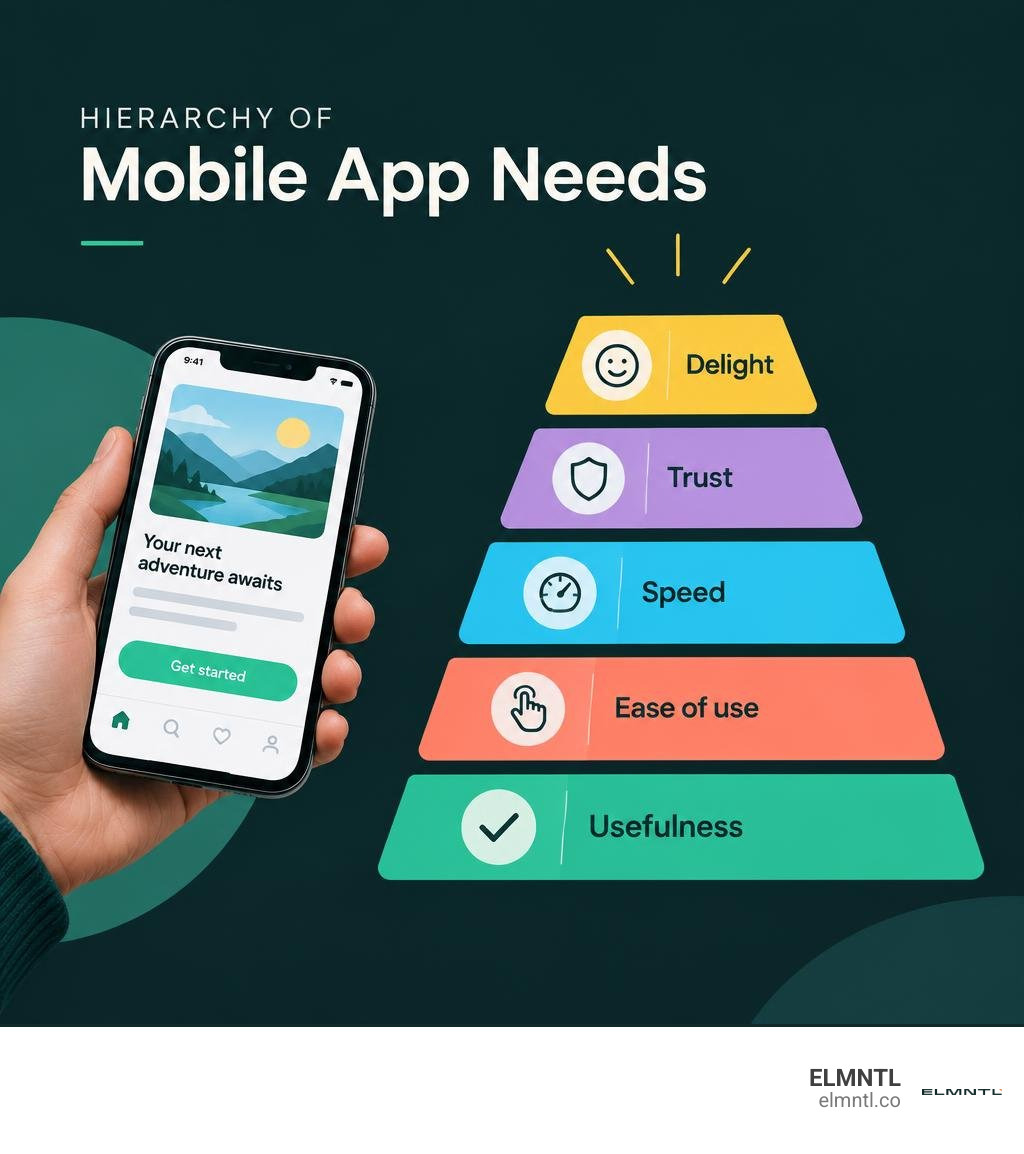
Simple app user experience word guide:
Understanding the Foundations of App User Experience: UX vs. UI Design
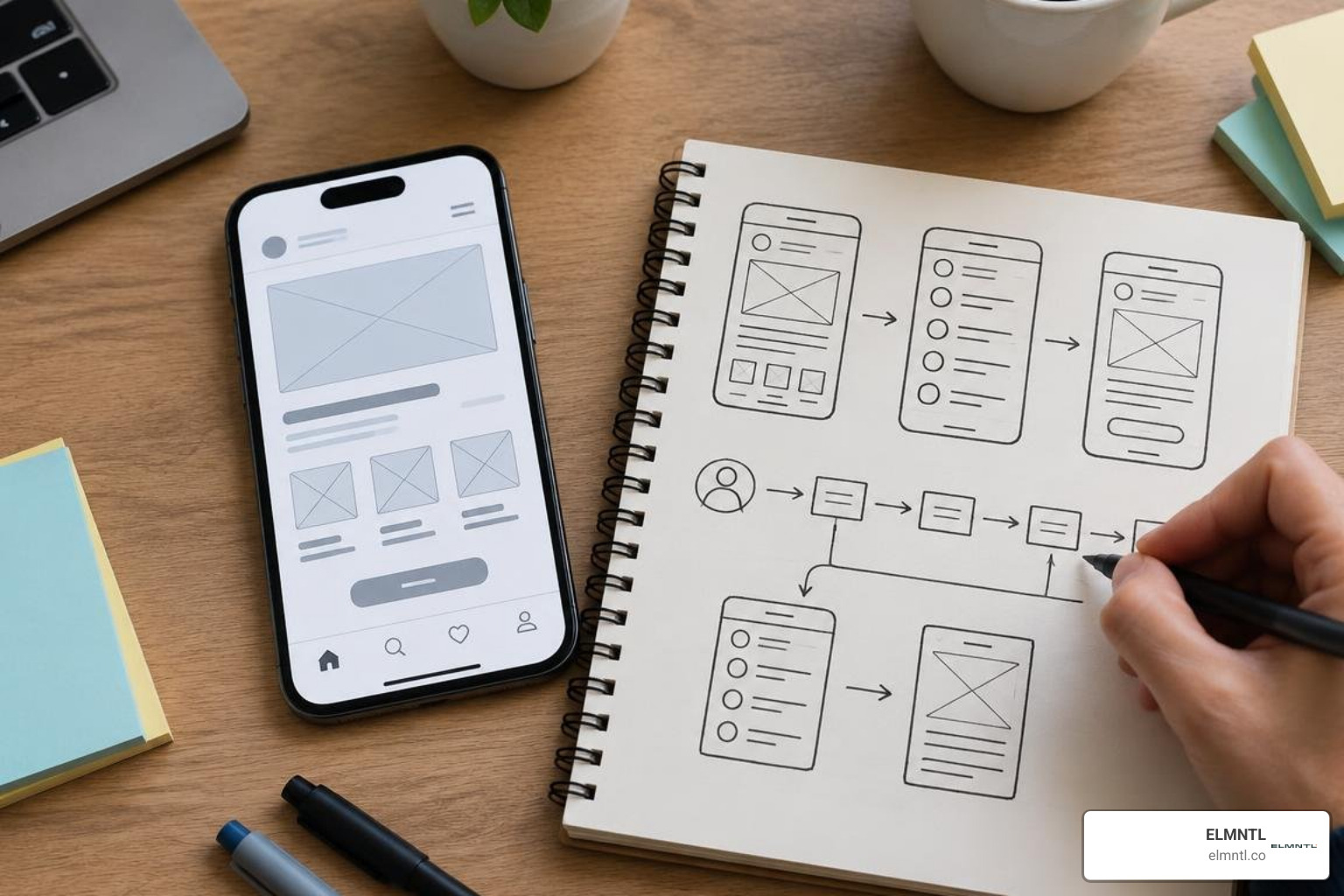
When building digital products, teams often mix up user experience (UX) and user interface (UI) design. While they work hand in hand, they solve fundamentally different problems. UI focuses on the visual touchpoints, such as buttons, color palettes, imagery, and typography. UX encompasses the entire holistic journey, from the mental model a person forms upon opening the app to the ease with which they accomplish their goals.
Grasping UX design basics is essential for any product team. As cognitive scientist Don Norman popularized when defining the discipline, user experience accounts for every single touchpoint between a human and a system. In mobile environments, this means mapping information architecture, designing intuitive interaction patterns, and eliminating friction points before a single pixel is styled.
The Core Difference: Visual Elements vs. End-to-End User Journeys
UI is what you look at; UX is what you feel and accomplish. An app can possess gorgeous visual design, fluid animations, and trendy gradients, yet completely fail if users cannot figure out how to reset a password or complete a purchase. According to IBM’s overview of user experience design, UX operates as a multidisciplinary practice drawing on psychology, engineering, and research to ensure products solve real user problems seamlessly.
| Design Dimension | User Interface (UI) Design | User Experience (UX) Design |
|---|---|---|
| Primary Focus | Visual appearance and interactive presentation | Structural flow, usability, and task completion |
| Key Deliverables | Mood boards, style guides, high-fidelity UI kits | User personas, journey maps, wireframes, user flows |
| Core Elements | Typography, color harmony, iconography, spacing | Information architecture, cognitive load, accessibility |
| Validation Method | Visual audits, brand consistency checks | Usability testing, task completion rates, behavioral data |
| Success Metric | Aesthetic appeal, visual brand coherence | User retention, low error rates, high satisfaction |
Why Both UX and UI Are Indispensable for Long-Term App Retention
Focusing entirely on UX wireframes while ignoring visual polish is equally dangerous. In human-computer interaction, the aesthetic-usability effect reveals that users perceive attractive interfaces as more usable and trustworthy. Frontiers research on smartphone app aesthetics confirms that clean visual design with balanced symmetry and controlled complexity directly enhances subjective usability ratings and objective task completion.
When visual hierarchy complements frictionless architecture, apps achieve higher day-7 and day-30 retention rates. Brands looking to build sustainable mobile products regularly rely on top UX and UI design specialists to unify aesthetic polish with structural ergonomics, ensuring users feel both delighted and empowered.
The STFM Framework: Analyzing Mobile App User Experience Research
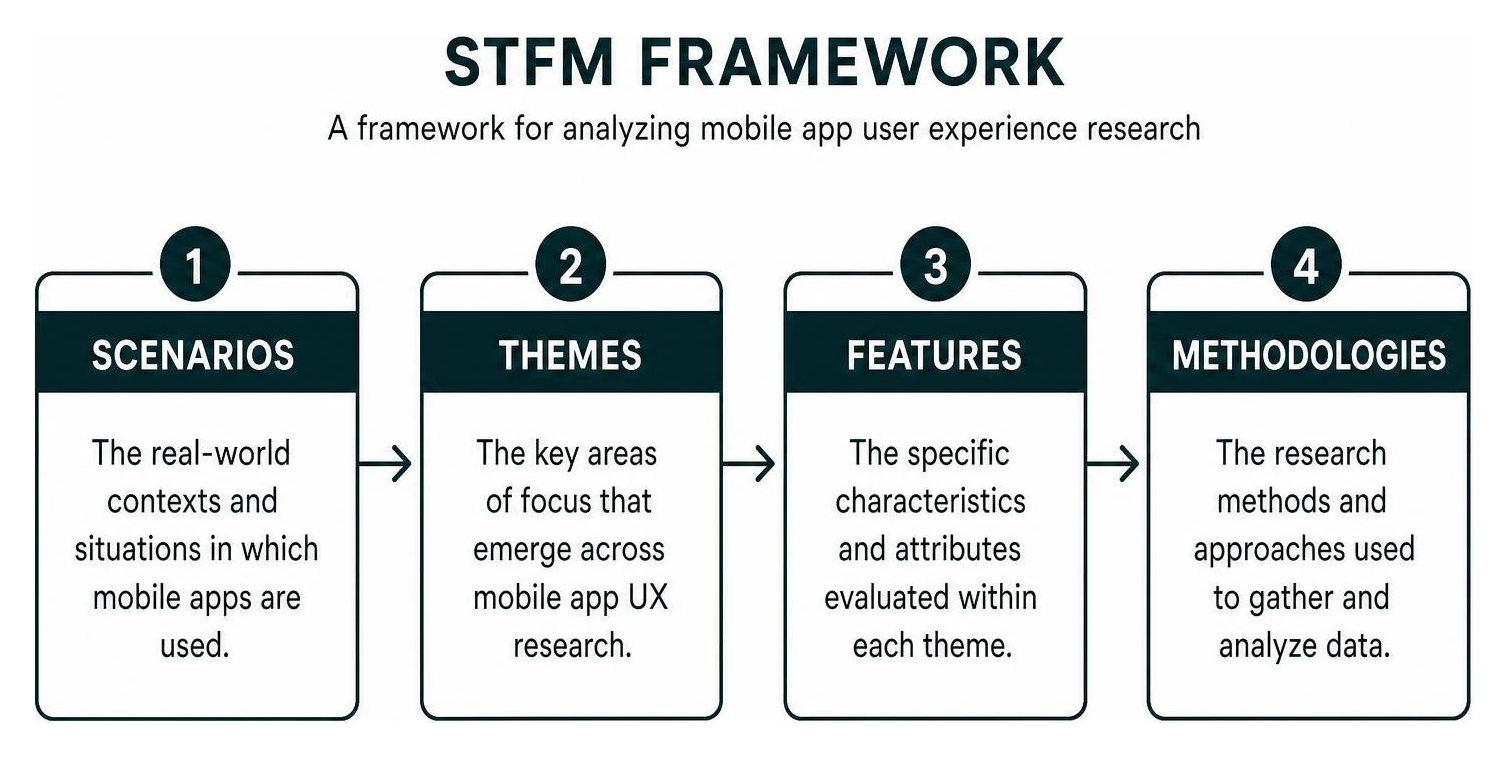
To systematically evaluate mobile application user experience (MAUX), researchers apply the STFM framework. This framework synthesizes four critical dimensions: Scenarios, Themes, Features, and Methodologies. By organizing mobile research across these four pillars, product leaders can move past guesswork and ground design choices in empirical data, drawing from international standards like ISO/IEC 25010 to measure software quality and user satisfaction.
A comprehensive survey on mobile application design published in MDPI demonstrates that breaking down mobile interactions into structured taxonomies helps development teams spot blind spots in usability, accessibility, and environmental context before rolling out products to millions of active devices.
Dominant Scenarios: Health, Learning, and Retail App User Experience
Research shows that mobile UX challenges cluster heavily within three primary scenarios:
- Mobile Health (mHealth): Accounting for roughly 42.93% of analyzed MAUX academic studies, health apps carry high stakes. Users need clear data visualization, effortless medication logging, and complete privacy assurance.
- Retail and E-Commerce: Representing approximately 11.22% of studies, retail apps live or die by checkout speed. A landmark ScienceDirect study on mobile app ecology notes that app selections are largely fast-path cognitive decisions, meaning users abandon complex retail funnels in seconds.
- Mobile Learning (EdTech): Comprising about 8.29% of research, educational platforms require bite-sized modular flows that accommodate short attention spans and diverse age groups without inducing cognitive fatigue.
Major Research Themes: Usability, Acceptance, and Design Progression
Across all mobile scenarios, three dominant research themes consistently emerge:
- Usability and Hygiene: Ensuring the interface complies with fundamental usability heuristics, such as predictable navigation, clear feedback, and error recovery.
- User Acceptance: Evaluating the factors that drive users to integrate an app into daily routines, heavily influenced by perceived usefulness, social proof, and initial onboarding friction.
- Design Progression: The iterative evolution of mobile products using continuous discovery, responsive updates, and automated feedback loops.
Methodologies and Evaluation Metrics: SUS, UEQ, and Behavioral Data
Evaluating an app requires both qualitative sentiment and quantitative behavioral metrics. Academic research heavily relies on mixed-methods approaches, combining validated diagnostic scales with in-app telemetry:
- System Usability Scale (SUS): A standard ten-item questionnaire giving an immediate composite score of system usability.
- User Experience Questionnaire (UEQ): Measures both classical usability factors (efficiency, perspicuity, dependability) and user experience qualities (novelty, stimulation).
- Behavioral Diagnostics: Tracking micro-frustrations like rage taps (repeatedly tapping a dead element), UI freezes over two seconds, screen drop-offs, and crash-free user rates.
Understanding how behavioral patterns translate into revenue is why running a thorough UI and UX audit is often the single most cost-effective way to find and fix hidden friction points.
Critical Design and Performance Features That Define MAUX
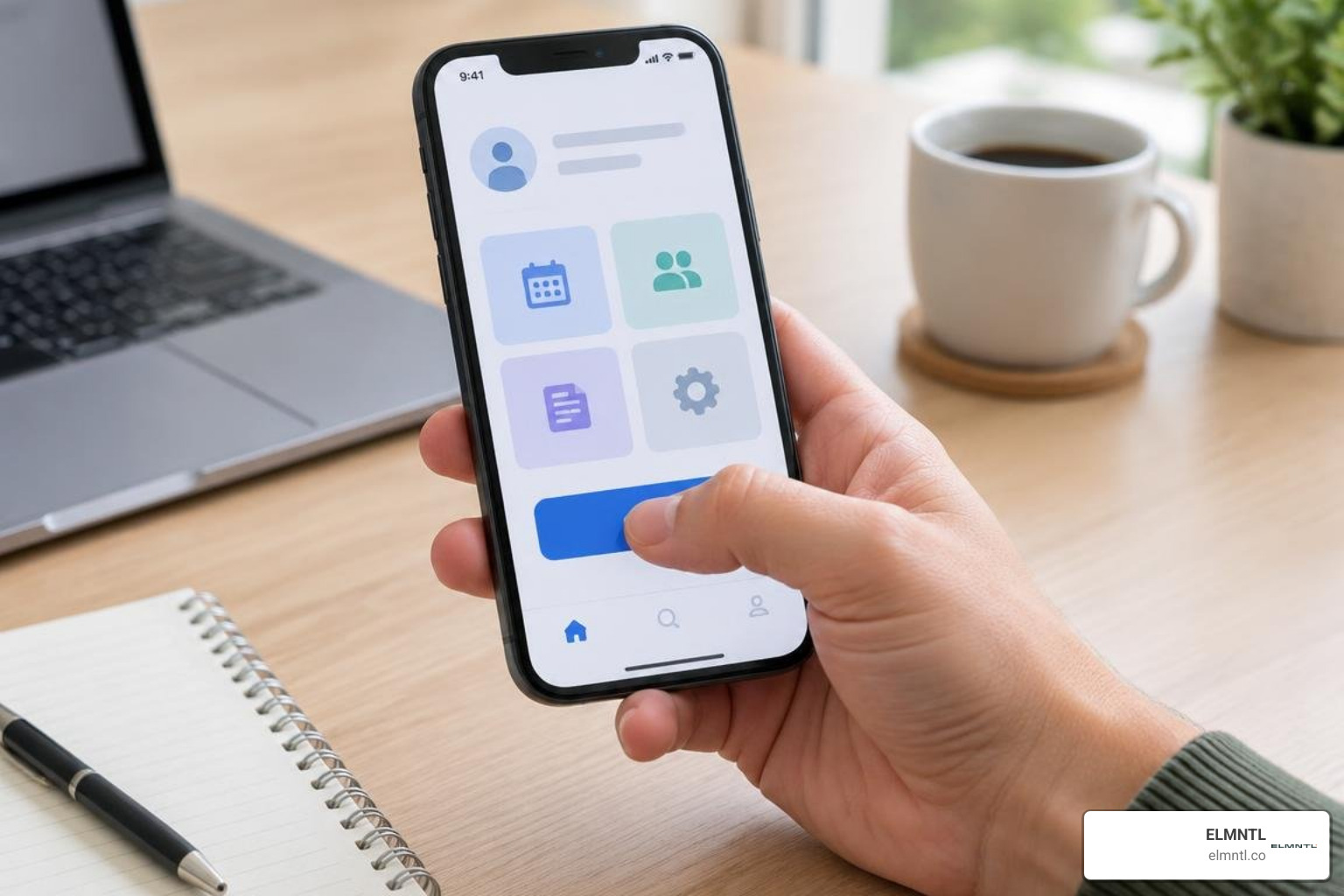
Mobile design is constrained by physical device dimensions, battery constraints, and the distracted environments in which phones are used. Achieving exceptional mobile app UX requires focusing on three fundamental feature pillars: ergonomic interfaces, speed, and intelligent contextual adaptation.
Ergonomics and the Thumb Zone: Touch Targets and Responsive Controls
Most smartphone users interact with their devices using one hand. This makes thumb-zone ergonomics a foundational rule of mobile design. Primary interactive elements belong in the natural arc of the thumb, specifically the bottom two-thirds of the screen.
To eliminate missed taps and user frustration:
- Maintain minimum interactive touch targets of 48×48 density-independent pixels (dp) on Android and 44×44 points (pt) on iOS.
- Keep critical call-to-action buttons anchored at the bottom of the viewport.
- Avoid placing destructive actions directly beside frequent navigation targets.
- Respect platform back gestures rather than forcing users to reach for a tiny chevron in the top-left corner.
Mastering mobile navigation patterns prevents users from abandoning tasks due to clumsy interaction design.
Perceived Speed, Intermittent Connectivity, and Technical Reliability
Performance is an inseparable part of user experience. Research shows that roughly 90% of users abandon applications due to poor technical performance. On mobile devices, fluctuating network connections and varying processor capabilities make perceived speed just as critical as actual load times.
Google’s foundational Mobile App UX Principles emphasize streamlining the path to completion. Key technical practices include:
- Skeleton Screens: Replace generic loading spinners with skeleton placeholders that mirror incoming content layouts, reducing perceived wait times.
- Optimistic UI: Update the interface immediately upon user interaction while processing network requests asynchronously in the background.
- Aggressive Offline Caching: Cache local state to ensure the app opens instantly and allows users to browse cached data or queue actions during network dropouts.
- High Stability Targets: Maintain daily crash-free user rates above 99% to preserve user trust.
Transforming App User Experience Through AI and Context-Aware Personalization
Modern mobile experiences are moving past static interfaces toward dynamic, context-aware environments. By integrating machine learning and adaptive intelligence, apps can anticipate user intent rather than forcing manual navigation:
- Predictive Workflows: Surfacing frequent actions based on the user’s current time, location, or past behavior.
- Generative UI Elements: Dynamically formatting dashboard modules, content recommendations, and text size based on individual user interaction habits.
- Augmented Reality (AR): Overlaying contextual spatial information for retail previews, navigation guidance, and interactive learning.
Overcoming Key UX Challenges Across High-Stakes App Categories
Different app categories bring distinct psychological barriers and user expectations. Solving UX problems requires tailoring design principles to specific user needs.
Solving Privacy, Security, and Adoption Friction in Mobile Health Apps
In digital health, usability directly impacts patient well-being and treatment adherence. An empirical review of mental health app usability analyzing thousands of reviews found that confusing navigation and rigid interfaces were the primary drivers of app abandonment.
To build trust and long-term engagement in mHealth applications:
- Simplify Onboarding: Avoid demanding extensive medical histories during the initial launch. Allow users to explore core features before requesting sensitive health metrics.
- Provide Transparent Privacy Controls: Explain clearly why data permissions (such as Bluetooth, notifications, or health records) are needed, providing plain-language explanations alongside compliance standards.
- Support Adaptive Personalization: Allow users to customize reminders, tracking parameters, and interface density to match their daily health routines.
Reducing Cognitive Load and Navigation Friction in E-Commerce and EdTech
In retail and educational applications, cognitive overload is the enemy of conversion. When users feel overwhelmed by cluttered choices or long forms, they simply exit the app.
- Guest Checkout Pathways: Never force full account registration before a purchase. Let users transact as guests and offer account creation after the order is confirmed.
- Single-Tap Payments: Integrate native digital wallets like Apple Pay and Google Pay to bypass manual credit card entry.
- Microlearning Architecture: In EdTech, chunk complex educational modules into self-contained lessons lasting under three minutes to encourage daily engagement.
- Predictive Search with Auto-Suggestions: Display popular searches, recent queries, and instant thumbnail results to reduce typing friction on mobile keyboards.
Strategic Best Practices for a Friction-Free Mobile App Lifecycle
Great mobile applications are not created in a single design sprint; they require a continuous, user-centered lifecycle that bridges research, testing, and engineering.
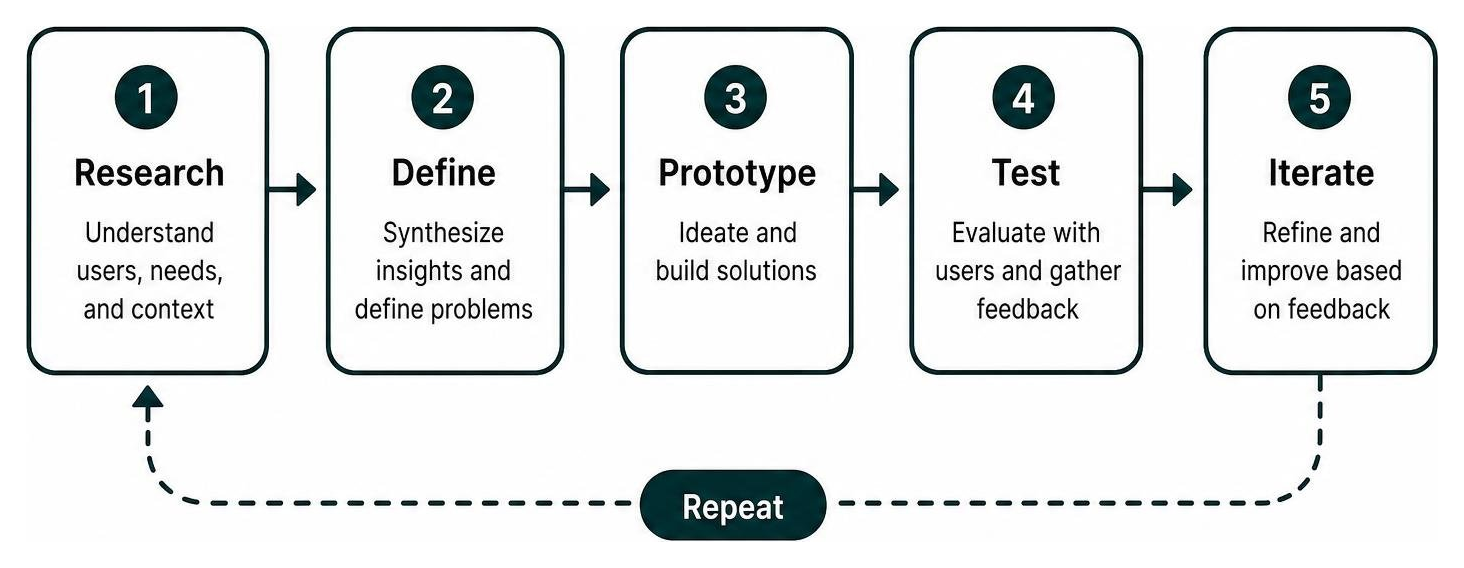
The Step-by-Step User-Centered Design Process
Building apps that resonate with users requires following structured steps from concept to post-launch optimization. Understanding the modern UX design process helps cross-functional teams iterate efficiently:
- Discovery and Research: Conduct field studies, user interviews, and contextual inquiries to identify real pain points rather than internal assumptions.
- Problem Definition and Journey Mapping: Map out user flows to identify friction points and eliminate unnecessary steps in the primary user path.
- Rapid Wireframing and Prototyping: Build low-fidelity wireframes to validate layout concepts before investing time into high-fidelity UI kits and animations.
- Usability Testing: Run moderated and unmoderated usability tests on actual mobile hardware to observe real thumb reach, gesture behavior, and comprehension.
- Iterative Engineering and Telemetry: Release narrow cohort updates and measure post-launch behavioral analytics to continuously refine the experience.
Accessibility, Inclusive Design, and Platform Conventions
Inclusive design ensures digital products serve everyone, including users with visual, motor, or cognitive impairments. Following established website and mobile accessibility practices ensures your app meets Web Content Accessibility Guidelines (WCAG):
- Color Contrast: Maintain a minimum contrast ratio of 4.5:1 for standard body text against background colors.
- Dynamic Type Support: Ensure the interface scales gracefully when users increase system font sizes in their device settings.
- Screen Reader Labels: Provide descriptive accessibility labels for non-text interactive elements, icons, and state changes.
- Platform-Native Conventions: Respect standard UI patterns on iOS (Human Interface Guidelines) and Android (Material Design), such as system sheet behaviors and standard navigation tab bars.
- Dark Mode Support: Implement high-contrast dark themes to reduce visual strain in low-light environments and preserve battery life on OLED displays.
Frequently Asked Questions About App User Experience
What is the difference between mobile UX and desktop UX?
Mobile UX accounts for touch-based interactions, limited screen real estate, one-handed thumb reach, variable lighting conditions, and frequent interruptions. Desktop UX involves larger display areas, mouse-and-keyboard precision, hover states, and generally stable, high-speed network connections.
How do you measure the success of an app’s user experience?
App UX success is measured using a mix of qualitative and quantitative metrics:
- Task Completion Rate: The percentage of users who successfully complete a primary workflow.
- Time to First Meaningful Action: How quickly a new user gains tangible value after opening the app.
- Day-7 and Day-30 Retention: The percentage of users who return to the app within a given timeframe.
- Rage-Tap Frequency: The rate of repeated, rapid taps on unresponsive UI elements.
- Standardized Usability Scores: Composite benchmarks collected via the System Usability Scale (SUS) or User Experience Questionnaire (UEQ).
What is the most common mobile UX design mistake?
The most frequent mistake is feature bloat: cramming desktop-scale functionality and endless options onto mobile screens. Other common errors include unskippable multi-screen onboarding carousels, tiny tap targets under 44 points, unexpected modal interruptions, and forms that demand excessive typing.
Conclusion
In the competitive mobile ecosystem of 2026, building an app with an extensive feature list is no longer enough to win user loyalty. Lasting mobile success comes from prioritizing speed, ergonomic simplicity, and intuitive design over visual clutter. By grounding development in the STFM framework, respecting thumb-zone mechanics, designing for intermittent connectivity, and maintaining strict accessibility standards, businesses can create mobile products that feel effortless and rewarding to use.
Transforming mobile friction into seamless user journeys requires a deliberate balance of brand strategy, ergonomic UX architecture, and modern technical execution. Discover how our team at ELMNTL elevates mobile experiences through our comprehensive digital strategy, design, and development services to build products that drive sustainable retention and real business growth.