

Find Branding Templates for Social Media That Fit Your Brand
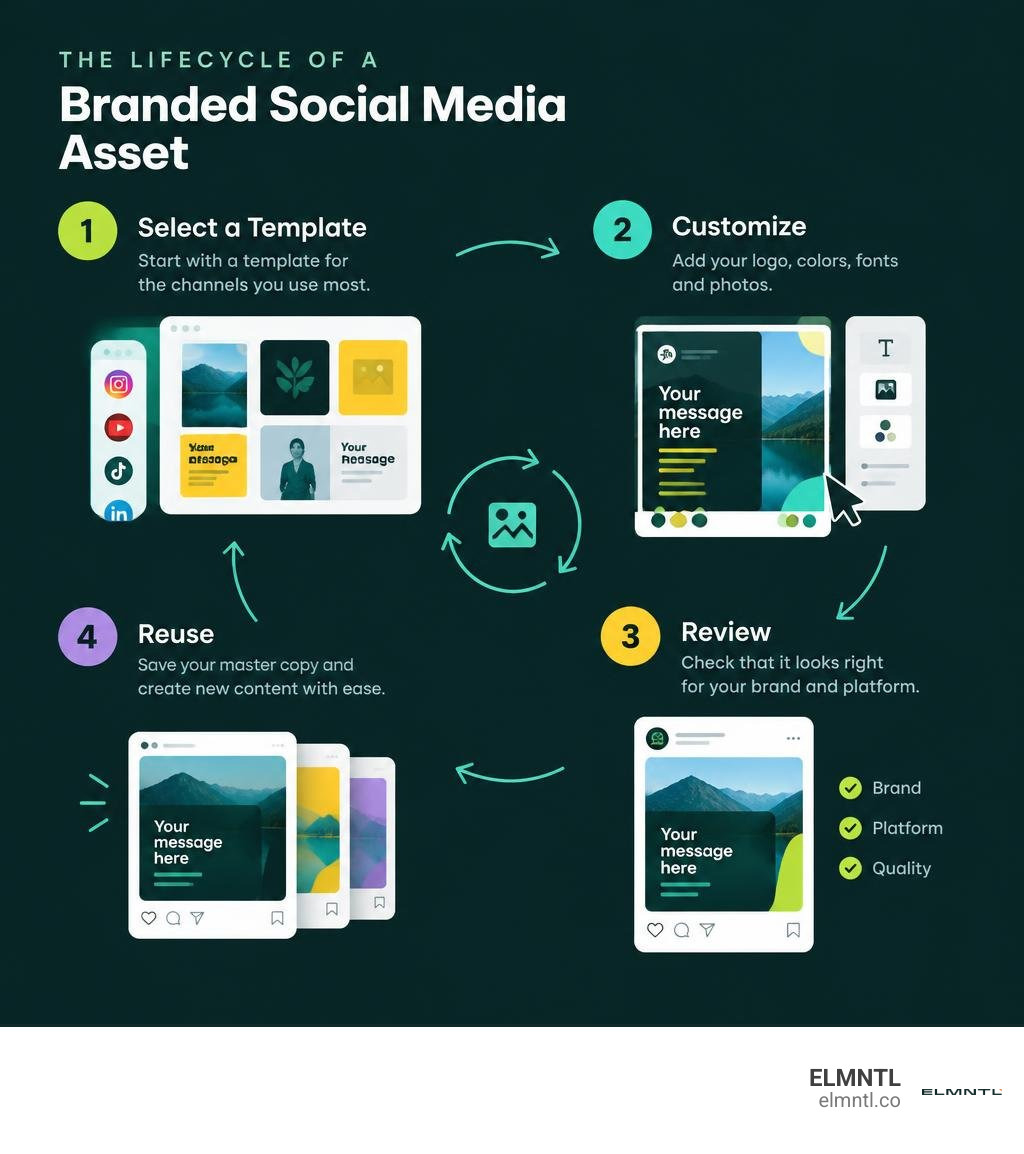
Start with templates for the channels you use most. Look for editable post, story, and banner layouts with room for your logo, colors, fonts, and photos. The best branding templates for social media let you keep a recognizable look while changing the message for each post.
Save a clean master copy after you customize it. Your team can then make new content without rebuilding every graphic, while checking that each version fits its platform.
Related content about branding templates for social media:
Why Visual Consistency Matters and What Social Templates Solve
Creating content for multiple channels every single day can easily turn into design chaos. When different team members jump into graphics tools without strict guardrails, your feed ends up looking like a patchwork quilt of mismatched fonts, random color schemes, and uneven margins. This inconsistency confuses your audience and dilutes brand recall.
Template libraries cut design production time significantly, often by up to 70%, freeing up creative energy for campaign messaging and audience engagement. When your social posts share a distinct visual signature, users scrolling quickly through their feeds immediately recognize your content before they even read your handle.
Integrating strong visual themes reinforces storytelling strategies for social channels, allowing you to convey value, emotion, and expertise across fleeting digital touchpoints. Following essential tips for social branding helps turn casual viewers into loyal followers who trust your organization.
Key Components of a Comprehensive Brand Kit
A high-performing template ecosystem is built upon an intentional brand foundation. Before you build or customize template sets, assemble the essential ingredients in a standardized brand kit:
- Color Palettes: Establish primary, secondary, and neutral hex codes. Standardize high-contrast background and text pairings to maintain accessibility across bright mobile screens.
- Font Pairings: Select two to three complementary typefaces. Typically, this means a bold display font for headlines, a readable sans-serif for body copy, and an optional stylized accent font for pull quotes.
- Logo Variations: Prepare light, dark, and monochrome versions of your primary logo, wordmark, and submark with transparent backgrounds.
- Iconography and Graphical Accents: Collect on-brand vector shapes, textures, framing elements, and badges that add character to layouts.
- Visual Spacing Rules: Define consistent padding, margins, and text hierarchy to keep designs balanced across screen sizes.
Documenting these guidelines is critical. Taking the time for developing a foundational brand guide ensures that whether you design graphics yourself or hand them off to a junior editor, every asset remains unmistakably yours.
Essential Types of Branding Templates for Social Media Across Every Platform

Every platform operates under its own visual culture and technical specifications. A template system must accommodate diverse aspect ratios while preserving your core aesthetic. For inspiration on layout structures, exploring curated inspiration on Dribbble showcases how modern designers balance negative space, typography, and promotional elements.
Instagram and Facebook Feed Posts, Stories, and Reels
Instagram and Facebook demand visual variety across multiple placements. Having flexible templates for each content type keeps your feed curated without feeling repetitive:
- Carousel Post Templates (1:1 or 4:5): Educational multi-slide frameworks that include hook slides, content breakdown layouts, data comparison cards, and call-to-action summary slides.
- Single-Image Promo Graphics: Clean, high-impact layouts designed for product launches, seasonal promotions, or company announcements.
- Story and Reel Cover Layouts (9:16): Vertical templates with safe zones that account for platform interface overlays, keeping critical headlines and logos clearly visible.
- Highlight Covers: Minimalist icon sets and typographic badges that give profile landing pages a polished appearance.
Creators and solo founders can adapt these formats using standout personal branding templates to build an authoritative, visually appealing personal presence.
Professional LinkedIn Banners and Thought Leadership Graphics
LinkedIn prioritizes clarity, professional credibility, and readable data. Your LinkedIn template pack should include:
- Profile and Company Page Banners (4:1 ratio): Wide headers featuring your value proposition, primary brand tagline, social proof, and subtle visual framing.
- Stat-Focused Post Graphics: High-contrast cards engineered to highlight key data points, survey findings, and industry benchmarks.
- Quote and Testimonial Cards: Formats designed to showcase client reviews, team insights, or industry quotes with stylized typography and headshot placeholders.
- Document / PDF Slide Decks: Multi-page vertical or landscape templates formatted for LinkedIn carousel documents that generate high engagement.
These formats are crucial when building an executive personal brand that captures corporate opportunities.
YouTube Channel Art and Video Thumbnails
Visual competition is fiercest on video-first platforms. YouTube templates must command immediate attention:
- Channel Banners (2560 x 1440 px): Banners built with responsive safe zones (1546 x 423 px) so your schedule, branding, and imagery look sharp across mobile, tablet, desktop, and smart TVs.
- Video Thumbnails (1280 x 720 px): High-contrast layouts featuring expressive subject cutouts, bold headline containers, and dedicated spaces for graphical badges. Clear visual hierarchy ensures your thumbnails remain readable even when scaled down on mobile feeds.
How to Choose, Source, and License Brand Templates
Finding quality templates starts with evaluating your workflow requirements and distribution scale. Reviewing successful enterprise case studies, such as the SHL brand refresh graphic templates, demonstrates how building structured post variations across themes helps global teams publish cohesive multi-channel content quickly.
Top Platforms for Sourcing Social Media Templates
Several major platforms offer robust template libraries tailored to different skill levels and software preferences:
- Canva: Offering over 15,000 Canva customizable social graphic templates, this cloud-based platform is ideal for rapid drag-and-drop customization, multi-format resizing, and team collaboration.
- Adobe Express: A powerful browser and mobile design suite packed with thousands of curated graphics, generative AI editing tools, and seamless Adobe Stock integration.
- Envato Elements: A subscription marketplace providing thousands of downloadable, fully layered PSD, AI, and Figma templates designed for advanced customization.
- Figma Community: A hub for modern UI/UX designers offering modular component systems and auto-layout social media design kits.
Evaluating Free vs. Paid Branding Templates for Social Media
Choosing between free downloads and paid premium kits depends on your need for design exclusivity, asset depth, and commercial licensing freedom.
| Feature Category | Free Social Media Templates | Paid / Premium Template Kits |
|---|---|---|
| Design Exclusivity | High market saturation; many brands use identical layouts. | Unique layouts with distinct styling and niche themes. |
| Asset Variety | Often limited to single-post formats (5-10 layouts). | Comprehensive kits (50-600+ assets across all dimensions). |
| Commercial Licensing | Basic personal or restricted commercial usage terms. | Broad commercial licenses covering client work and large distributions. |
| Typography & Assets | Relies on standard system fonts and generic stock elements. | Includes custom typography styling, premium vectors, and icons. |
| File Formats | Usually limited to web editor formats or flat files. | Multi-format delivery (Canva links, Figma files, layered PSD/AI). |
Step-by-Step Customization and Template Governance
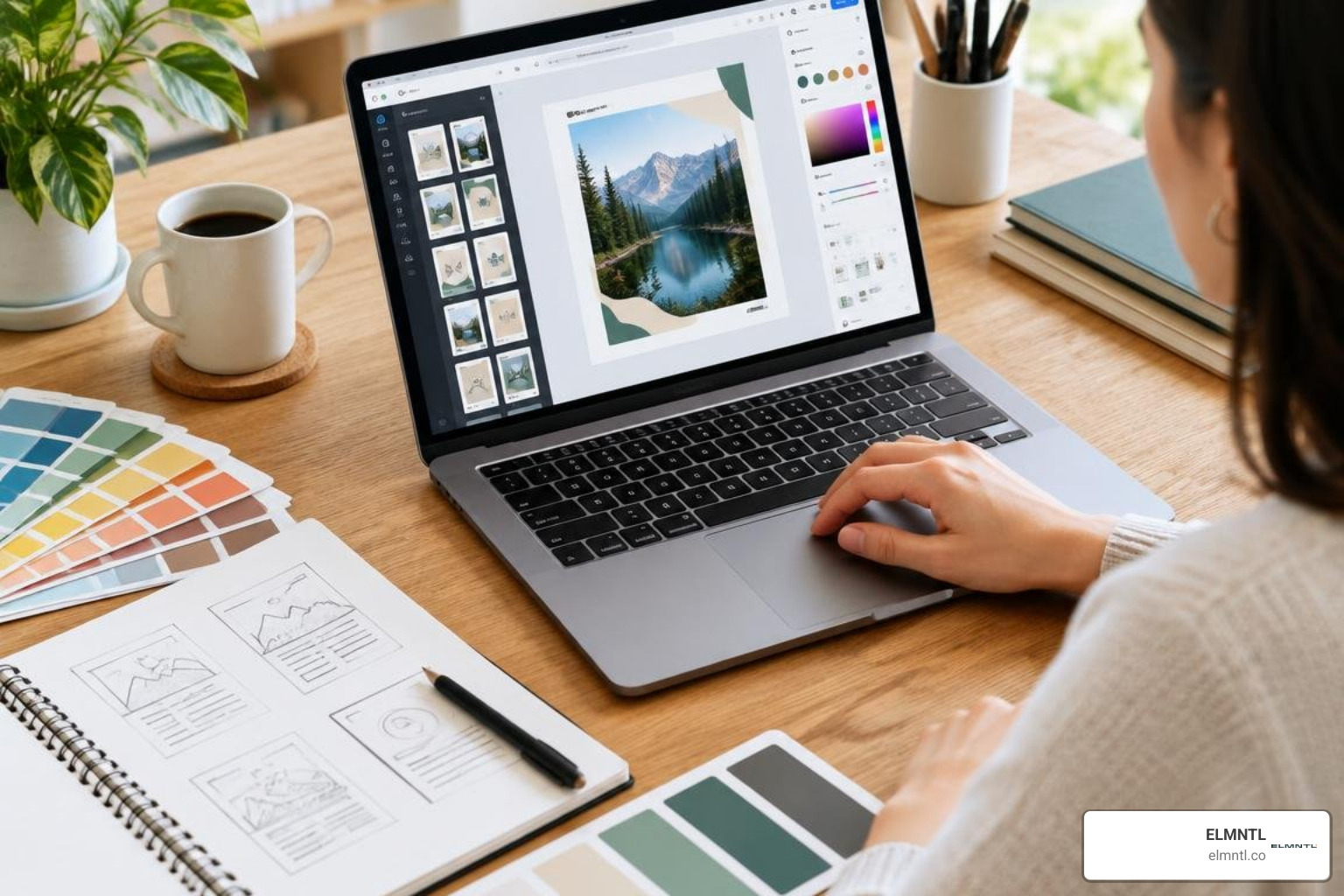
Purchasing or downloading a template kit is only the first step. To make it uniquely yours, follow a structured customization workflow that protects visual integrity.
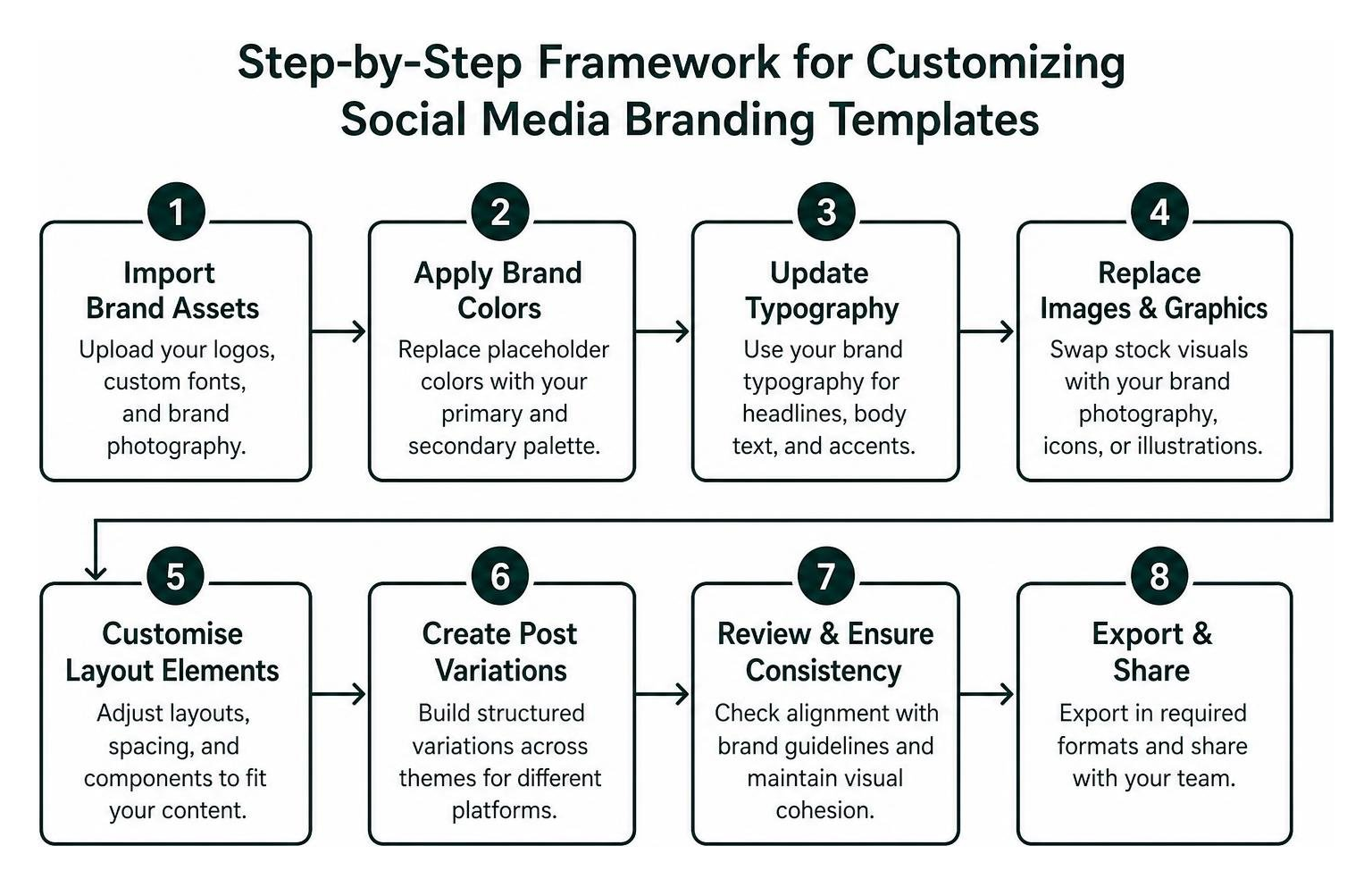
Applying premium visual branding strategies ensures that pre-made templates evolve into distinct brand assets rather than looking like generic stock designs.
How to Customize Ready-Made Branding Templates for Social Media
- Import Brand Assets: Upload your primary and secondary vector logos, custom font files (if supported by your tool), and high-resolution brand photography.
- Apply Global Color Styles: Replace placeholder colors with your official brand palette. Ensure text layers maintain a minimum contrast ratio against background elements for mobile readability.
- Standardize Typography: Swap default fonts with your chosen brand typefaces. Set clear size hierarchies for headlines, subheaders, body copy, and URL watermarks.
- Curate Custom Imagery: Replace generic stock placeholders with authentic photos of your team, products, or high-quality niche imagery.
- Adjust Spacing and Alignment: Review padding around margins to ensure text doesn’t touch canvas edges or get obscured by platform interface icons.
Using rapid mockup workflows in Canva makes batch editing weekly social batches smooth and straightforward.
Building Your Own Reusable Master Template System
Once your customized layouts look balanced, lock them down to create a repeatable production system:
- Duplicate Before Editing: Never create live content in your master files. Always duplicate master files into a dedicated monthly working folder.
- Organize Shared Asset Libraries: Store your approved logos, recurring photo cutouts, and iconography in cloud folders accessible to everyone on your marketing team.
- Lock Core Layout Elements: If your software allows, lock background patterns, frame boundaries, and logo watermarks so collaborators only edit text and image placeholders.
- Batch Export Multiple Formats: When publishing a major campaign announcement, build the creative in your master square layout first, then resize the file for stories, landscape banners, and vertical video covers.
Frequently Asked Questions About Social Media Branding
Can social media templates be used for commercial client projects?
Yes, most paid template kits and marketplace downloads grant commercial usage rights that allow you to create marketing graphics for your own business or client accounts. However, licenses almost universally prohibit reselling, sublicensing, or redistributing the editable template files themselves as standalone digital products. Always verify whether a single-use or extended commercial license is required if your campaign involves high-volume product packaging or paid digital advertising.
How do you maintain brand consistency when multiple team members edit templates?
Maintaining visual alignment across a growing team requires combining clear documentation with technical boundaries. Set up shared cloud workspaces (such as Canva for Teams or Figma project workspaces) where verified brand kits, color palettes, and approved font styles are locked in place. Establish a straightforward review workflow where junior contributors draft social graphics within locked template containers before a marketing manager approves them for scheduling.
Which file formats are best for exporting social media templates?
For static feed graphics featuring typography, vector illustrations, or solid colors, export as PNG-24 to prevent compression artifacts and keep text crisp on high-density mobile screens. For photography-heavy graphics where smaller file sizes improve upload times, high-quality JPEG or WebP formats work well. If your templates include motion graphics, animated text transitions, or video elements, export as high-bitrate MP4 files formatted with H.264 video compression.
Elevate Your Social Presence with Cohesive Visual Branding
Ready-made social media templates provide an efficient way to transform your online presence, turning daily content production from a time-consuming chore into an organized, scalable workflow. By standardizing your brand kit, selecting platform-tailored formats, and setting up structured master templates, you ensure every post strengthens your company’s visual identity.
If you are looking to build a distinctive visual foundation, scale your multi-channel digital campaigns, or refresh your corporate identity, explore our comprehensive marketing and branding services to discover how our strategic team can help elevate your brand across every digital channel.