
What the Best Mobile App UI Design Gets Right
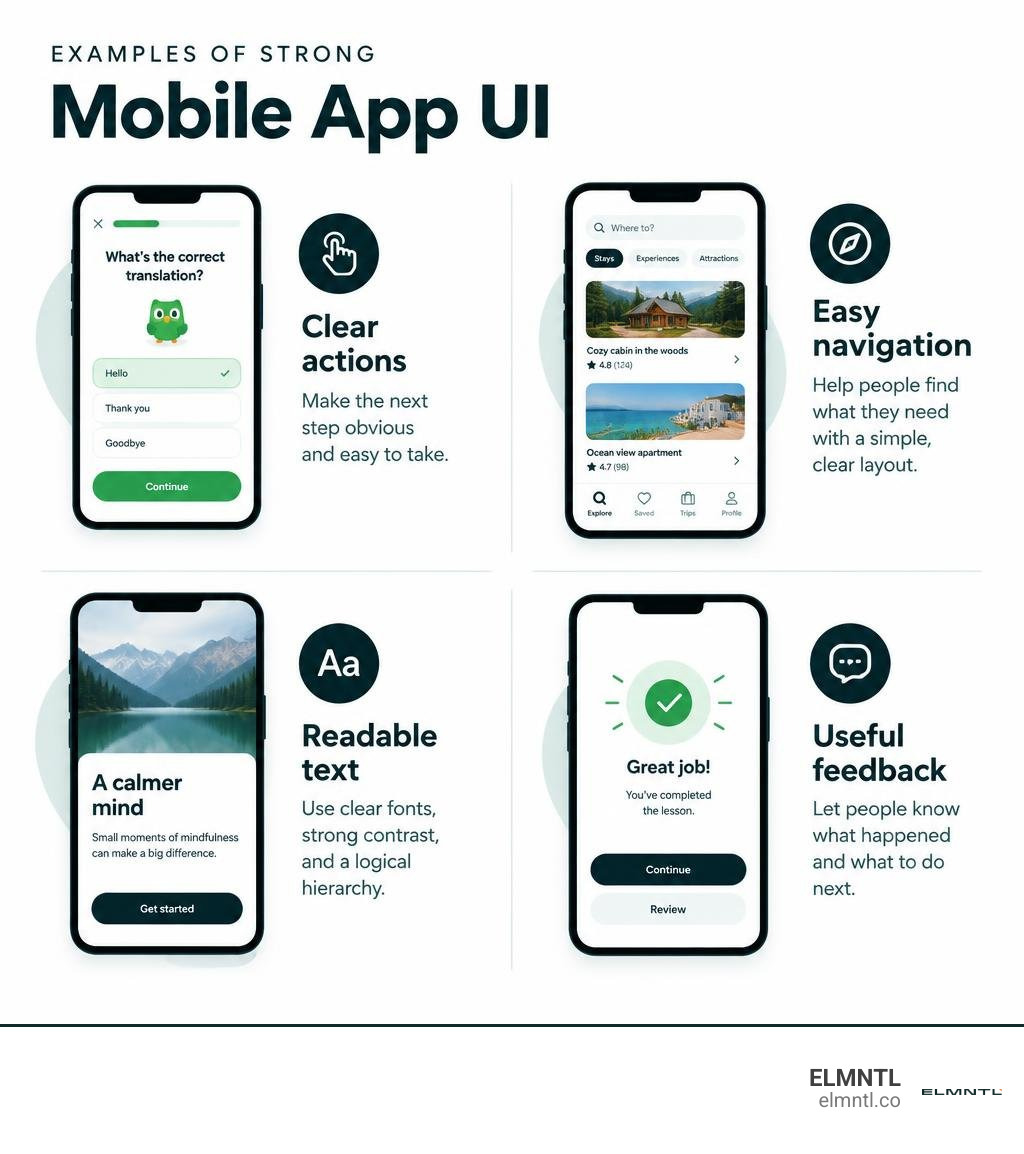
The best mobile app UI design makes the next step easy to see and use. Duolingo uses clear progress cues to guide lessons. Airbnb makes it easier to browse and compare places. Calm pairs simple choices with a quiet visual style that fits its purpose. These apps offer different kinds of inspiration, but each uses its interface to help people do something specific.
A polished screen is only a starting point. The examples ahead show how navigation, readable text, timely feedback, and a consistent visual style work together across a real app experience.
Best mobile app ui design terms made easy:
What Defines the Best Mobile App UI Design in 2026?
Great mobile interface design is never just about skin-deep aesthetics or following short-lived visual fads. In 2026, mobile users expect interfaces to deliver instant clarity, zero cognitive friction, and reliable performance across varying lighting and device states. The best digital products bridge human emotion and functional utility seamlessly.
When a user opens an app, they arrive with a specific task in mind: sending money, booking a place to stay, or learning a language. Exceptional UI gets out of the way while guiding the user naturally forward. It utilizes subtle micro-interactions to confirm choices, establishes high-contrast readability in daylight, and introduces motion only when it communicates system state changes. When evaluating standout UI and UX design benchmarks, you quickly discover that top products create visual environments that feel alive, intuitive, and effortlessly clear.
Core Principles of Best Mobile App UI Design
Building an intuitive mobile product requires strict adherence to timeless interface principles:
- Visual Hierarchy and Spatial Rhythm: Effective screens direct the eye through deliberate scale, color contrast, and an 8-point spatial grid system. This ensures that primary actions dominate attention while secondary details stay quietly accessible.
- Predictable Touch Targets: Fingers are clumsy compared to mouse pointers. Interactive elements require minimum touch targets of 44×44 points on iOS and 48×48 dp on Android, surrounded by sufficient breathing room to prevent misclicks.
- Dynamic Typography Scaling: Interfaces must handle dynamic type sizes without breaking layouts, clipping strings, or dropping critical contrast ratios below Web Content Accessibility Guidelines (WCAG) standards.
- Progressive Disclosure: Instead of overwhelming users with every tool and setting upfront, interfaces should present information in digestible layers, keeping initial views clean while leaving complex capabilities accessible on demand.
Achieving this balance is why partnering with top UX UI design specialists helps mobile-first brands translate ambitious feature sets into streamlined user journeys.

Platform-Specific Nuances: iOS Human Interface vs. Android Material Design
A frequent mistake is designing a single interface and cloning it identically across platforms. Apple’s Human Interface Guidelines (HIG) and Google’s Material Design 3 (Material You) have distinct behavioral conventions that mobile users rely on unconsciously.
| UI Component / Pattern | iOS Human Interface Guidelines (HIG) | Android Material Design 3 (Material You) |
|---|---|---|
| Primary Navigation | Bottom Tab Bar with persistent root tabs | Navigation Bar or Navigation Rail |
| Action Prompts | Action Sheets sliding from bottom | Floating Action Buttons (FAB) or Bottom Sheets |
| Header Layout | Large Title collapsing to Centered Navigation Bar | Left-aligned Top App Bar with integrated back arrow |
| Page Dismissal | Edge swipe gestures and modal pull-down | Predictive back gesture and explicit system controls |
| Visual Theming | Translucent materials, blur effects, flat typography | Dynamic color extraction, tonal palettes, container elevation |
Respecting these system traits allows users to navigate with confidence because the app behaves like the rest of their device ecosystem.
Dissecting Award-Winning Mobile App UI Design: Real-World Teardowns

Examining shipped, top-charting applications reveals why deliberate visual decisions lead directly to higher retention and user satisfaction.
Case Studies of the Best Mobile App UI Design in Action
- Duolingo: Language learning can feel daunting, but Duolingo turns education into play. The interface uses chunky, colorful cards, bold iconography, and visible streak counters to reinforce daily habits. Immediate celebration modals and micro-animations reward lesson completion, turning effort into immediate gratification.
- Calm: A meditation app cannot afford an aggressive, cluttered interface. Calm pairs gentle, pastel color gradients with ample negative space and minimal typography. Its onboarding flow asks simple lifestyle questions against peaceful nature backgrounds, putting users at ease before they ever reach the home screen.
- Airbnb: Real estate search involves complex filters, dates, and pricing. Airbnb simplifies this by leading with clear photography, card-based carousels, and an unobtrusive bottom search capsule. The interface hides granular details until the guest expresses explicit interest in a listing.
- Uber: Real-time logistics require trust and clarity. Uber’s map interface prioritizes live vehicle movement, estimated pickup times, and transparent route paths while keeping auxiliary settings tucked neatly inside drawer sheets.
Examining design patterns across popular industry applications helps teams observe how market leaders structure complex workflows effectively.
Industry-Specific Patterns in Fintech, Health, and E-Commerce
Different product categories carry unique user expectations:
- Fintech & Banking: Security and trust dominate. Winning finance apps use high-contrast data visualization, biometric authentication prompts, and clean transaction histories with masked balances. Exploring modern dashboard UI inspiration helps teams organize dense analytics into digestible cards.
- Health & Fitness: Wearable companion apps and health trackers rely on quick-glance visual metrics like circular progress rings, timeline sparklines, and warm color palettes that avoid medical alarmism.
- E-Commerce & Retail: Fast-paced storefronts focus on frictionless conversion. They use sticky “Buy Now” bottom bars, swipeable image carousels, segmented size pickers, and single-page checkout sheets that minimize abandoned carts.
Sourcing Inspiration and Translating UI Patterns

Creating a standout mobile product does not require reinventing common navigation wheels. It requires understanding proven behavioral patterns and adapting them to your product’s unique context.
Mining Evidence-Based UI Patterns Across Design Libraries
Designers often browse platforms like Dribbble or Muzli for visual trends. However, polished static concepts do not always account for real production challenges like loading delays, edge cases, and dynamic device screens.
To ground your design choices in reality:
- Study libraries like Mobbin, which catalogs hundreds of thousands of screens and complete user flows from real, shipped apps.
- Explore production-ready UI kits and templates on Figma Community to see how components adapt across various screen sizes.
- Analyze how top products handle error validation, empty folder states, and offline alerts rather than just inspecting ideal home screens.
Rapid Prototyping, Usability Testing, and Handoff Workflows
High-fidelity concepts should quickly move into interactive prototypes. Testing clickable flows on physical devices reveals layout quirks that desktop monitors hide, such as awkward thumb reaching or unreadable font weights.
Utilizing the best app UI prototype tools enables your team to simulate native gestures, test transitions, and run live usability studies with actual users. Once refined, engineering handoff runs smoothly when teams standardize on top UI development tools and design tokens that keep spacing, colors, and type scales aligned across platforms.
Common Mobile UI Design Pitfalls to Avoid
Even experienced teams stumble into execution traps that frustrate users. Keep an eye out for these frequent mistakes:
- Overcrowded Displays: Packing too many competing cards, badges, and banners on a single screen creates decision paralysis. Use progressive disclosure to let users explore deeper when needed.
- Ambiguous or Inconsistent Iconography: Using non-standard symbols without text labels forces users to guess what a button does. Keep core navigation icons universally recognizable.
- Insufficient Contrast Ratios: Light grey text on white cards may look sleek in design mockups, but it becomes completely unreadable under direct sunlight or for users with visual impairments.
- Hidden or Buried Primary Navigation: Forcing everyday actions inside deeply nested side menus adds unnecessary friction. Keep your three to five most critical tasks accessible in the bottom navigation bar.
- Ignoring Edge and Empty States: Designing only for accounts loaded with rich data leads to awkward, unhelpful blank views when a user has zero notifications, search results, or saved items.
Frequently Asked Questions About Mobile App UI Design
What is the difference between UI and UX design in mobile apps?
UI (User Interface) design focuses on the visual presentation and interactive elements on the screen, including typography, color palettes, buttons, input fields, and motion. UX (User Experience) design covers the broader user journey, information architecture, usability testing, and the overall ease with which someone accomplishes their goals inside the product.
How do designers choose colors and typography for mobile interfaces?
Designers start with a disciplined palette: one primary brand color, an optional complementary accent, and accessible neutral shades for backgrounds and body copy. Contrast ratios should meet WCAG AA standards. For typography, leveraging native system fonts like SF Pro on iOS and Roboto on Android ensures clean rendering, rapid loading, and seamless dynamic type scaling across devices.
How can you use existing app UI inspiration without copying?
The key is to identify the underlying functional mechanism behind a design rather than copying its visual assets. Break down how a reference app structures its search filtering, displays multi-step progress, or organizes dashboard analytics. Then, rebuild that interaction pattern from the ground up using your own brand system, custom typography, and unique user requirements.
Conclusion
Creating an exceptional mobile application is an ongoing process of research, prototyping, and user-centered refinement. By embracing platform guidelines, enforcing strong visual hierarchy, and eliminating cognitive clutter, you build an interface that users love returning to every day.
At ELMNTL, we help businesses transform digital products into intuitive, high-converting mobile experiences. Explore ELMNTL’s digital design and growth services to see how our team crafts award-winning interfaces that captivate users and accelerate business growth.