

How to Check Daily Visitors of a Website
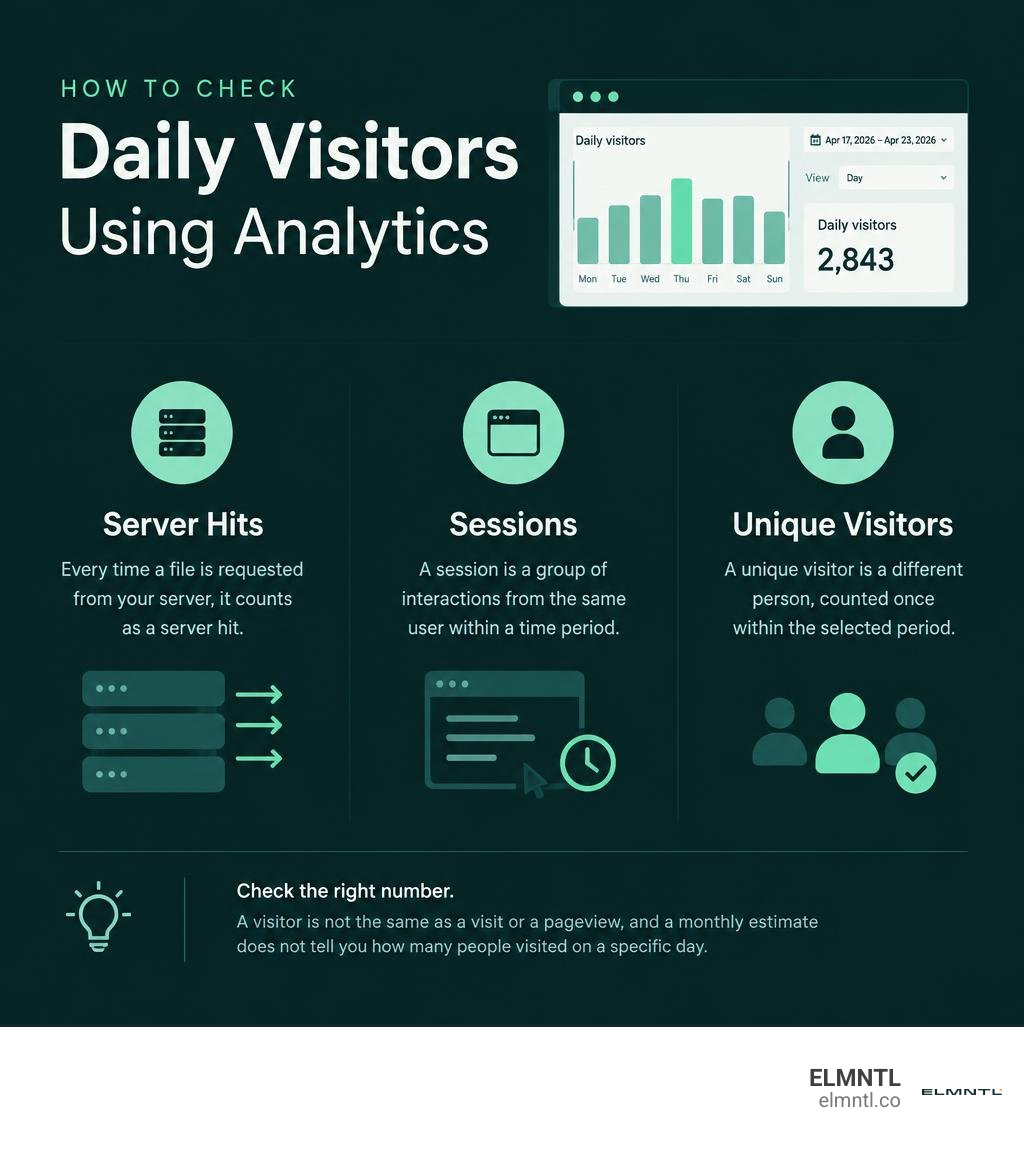
For your own website: Open your analytics platform, choose a date range, set the chart to day, and read the daily users or visitors count. For a competitor’s website: Use a traffic estimation tool, but treat its numbers as estimates, not exact daily counts.
Check which number you’re viewing. A visitor is not the same as a visit or a pageview, and a monthly estimate does not tell you how many people visited on a specific day.
Check daily visitors of a website further reading:
Core Methods to Check Daily Visitors of a Website

When we set out to evaluate traffic volume, the approach we choose depends entirely on whose website we are looking at. Measuring your own web properties allows for direct instrumentation, deep event tracking, and unmetered access to server logs. On the other hand, investigating a rival brand or prospective partner requires external estimation engines that model traffic based on sample sets and search visibility.
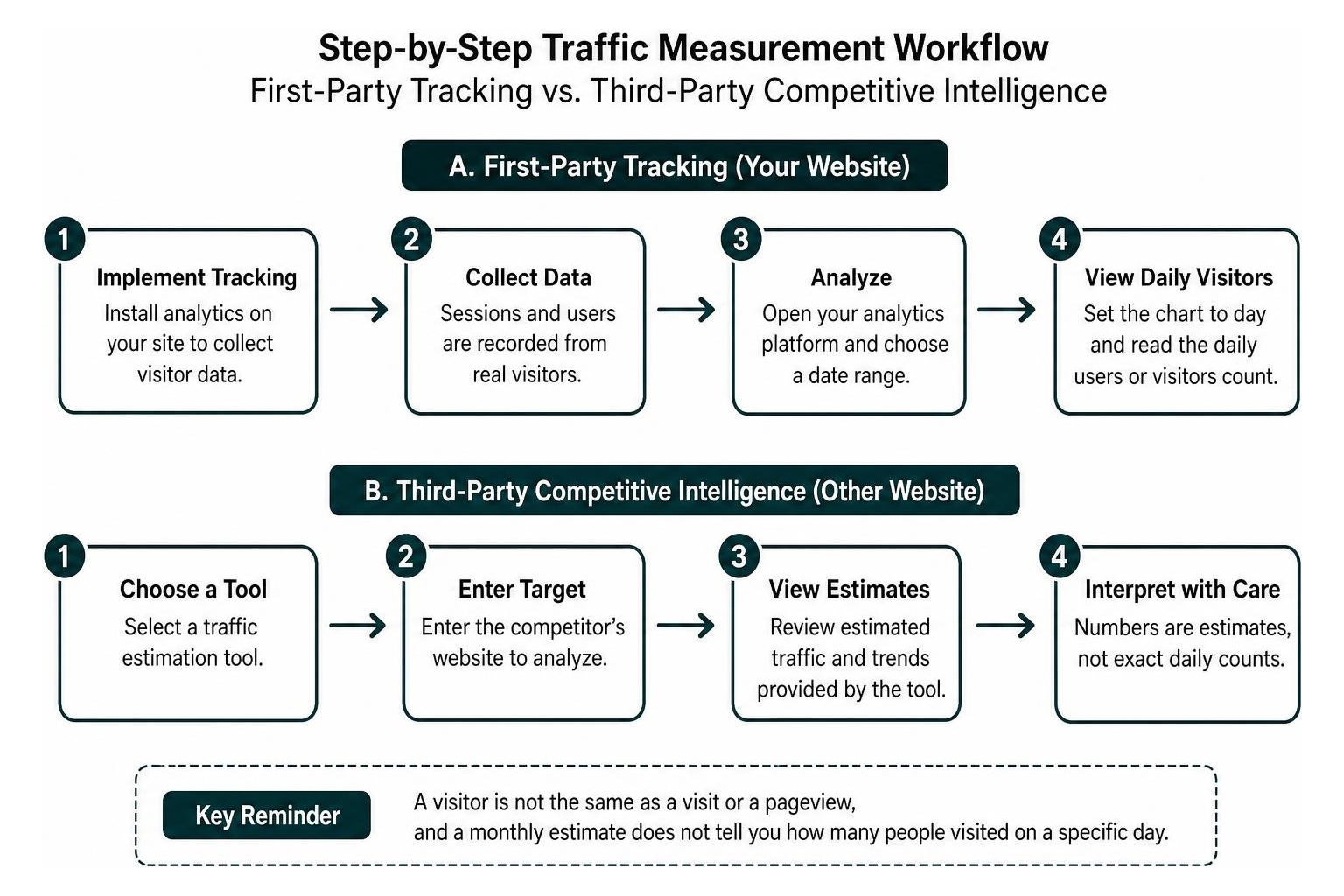
Every marketer needs a clear methodology to separate reliable first-party telemetry from directional competitor estimates.
How to Check Daily Visitors of a Website Using First-Party Analytics
When you own the digital asset, first-party analytics platforms provide the most granular picture of daily activity. Modern setups rely on lightweight JavaScript tracking pixels, server-side events, and first-party cookies to register every inbound request.
If you are setting up reporting for the first time, our beginner’s guide to get site statistics walks through foundational data collection methods.
Beyond client-side scripts that run in a browser, server log analyzers like AwStats offer an independent look at raw traffic. By reading web server access logs directly, log analyzers capture every single hit, page request, and visit, regardless of whether a user has disabled client scripts. This direct server-level visibility provides a durable baseline to verify that your front-end analytics tags fire properly.
How to Check Daily Visitors of a Website for Competitor Benchmarking
You cannot install a tracking pixel on a competitor’s domain, but you can still evaluate their audience scale. External tools gather search engine ranking distributions, panel data, and clickstream feeds to project daily and monthly visitor trends.
Conducting competitive research helps you benchmark market share, evaluate advertising strategies, and determine the actual exposure of potential backlink placements. If an external publisher requests premium rates for a sponsored post, running a verification check helps confirm whether their daily readership matches their claims. To see how to audit any domain across your niche, explore how to find out exactly how many visitors any website gets each day using external intelligence tools like the Ahrefs traffic checker, SE Ranking traffic estimator, or platforms like W3 Snoop.
Key Traffic Metrics and Source Attribution Breakdown

Looking at a single daily visitor count without context is like looking at your car’s speedometer without knowing which direction you are driving. To make informed marketing decisions, you must break down that top-line number into engagement quality, acquisition origins, and audience segments. For a full breakdown of fundamental metrics, review our website statistics complete guide.
Distinguishing Unique Visitors, Visits, and Pageviews
One of the most frequent points of confusion in digital marketing is mixing up visitors, sessions, and views:
- Unique Visitors (Users): The deduplicated count of individual devices or people who interacted with your site within a specified window, such as a single calendar day. If one person visits your site in the morning and returns in the afternoon, they count as one unique visitor.
- Visits (Sessions): The total number of individual browsing sessions initiated by users. If that same person visits twice with several hours in between, they generate two visits.
- Pageviews (Hits): The cumulative total of individual web pages loaded across all sessions. If a visitor views four pages during each of their two visits, they generate eight pageviews.
Understanding these distinctions prevents misinterpreting sudden surges in raw pageviews as true audience growth when it might simply reflect existing visitors viewing more pages per session.
Segmenting Traffic by Acquisition Channel
To understand what drives daily visitor swings, we slice traffic by acquisition channel:
- Organic Search: Visitors who find your website through non-paid search engine listings. This is the cornerstone of sustainable SEO growth.
- Paid Search and Display: Traffic generated through pay-per-click ad networks, search ads, and retargeting campaigns.
- Referral Traffic: Visitors who click a hyperlink pointing to your site from an external domain, partner blog, or industry directory.
- Social Media: Audiences entering your pages through links shared across organic posts, influencer campaigns, or community networks.
- Direct Traffic: Users who enter your domain directly into their browser address bar, access a bookmark, or open a link inside a non-web messaging app without attribution tags.
Tracking these channels day by day reveals which campaigns produce sustained visibility and which ones deliver short-lived spikes. For deeper analysis into high-performing content, you can inspect individual page-level visitor stats across each traffic channel.
Granular Filtering by Geography, Device, and UTM Parameters
High aggregate numbers can sometimes obscure underlying shifts in audience composition. By filtering daily visits across technical and geographic dimensions, we uncover hidden behavioral patterns:
- Device and Browser Metadata: Segmenting by desktop, mobile, and tablet uncovers usability bugs or mobile-specific conversion bottlenecks.
- Geographic Filtering: Breaking down daily visitor totals by country, region, and city confirms whether international SEO efforts reach the intended target markets.
- UTM Campaign Parameters: Tagging campaign URLs with source, medium, campaign name, content, and term parameters allows analytics engines to tie daily visitor spikes directly to specific creative assets or newsletter editions.
First-Party Analytics vs. Third-Party Traffic Estimators
Choosing between first-party analytics tools and third-party estimation software is not an either-or decision. In practice, seasoned marketing teams leverage both approaches for different strategic objectives. To evaluate different estimation platforms, consult our guide on free website traffic checker tools to see how they model visitor volume.
| Evaluation Metric | First-Party Analytics Platforms | Third-Party Traffic Estimators | Server Log Analyzers (AwStats) |
|---|---|---|---|
| Primary Data Source | Direct client tags, cookies, local storage | Search engine ranking models, panel sampling | Web server access logs (Apache, Nginx) |
| Data Accuracy | Very high for tracked client sessions | Directional estimates; accurate for macro trends | Absolute record of all server requests |
| Competitor Access | None (internal properties only) | Full access to any public domain | None (internal servers only) |
| Script Blocker Impact | Vulnerable to ad blockers and privacy plugins | Unaffected by end-user browser extensions | Completely unaffected by client extensions |
| Real-Time Visibility | Live streaming and 5-minute active windows | Typically aggregated monthly or weekly | Processed in periodic log batches |
| Setup Overhead | Requires tag implementation and maintenance | Zero setup; enter a target URL | Requires server-level access or cPanel config |
First-party analytics platforms provide the exact operational data needed to refine conversion funnels and validate daily campaign spend. Third-party estimators, while subject to algorithmic variance and regional sampling limitations, offer the only viable window into competitor trajectories and macro market demand.
Programmatic Tracking: Retrieving Daily Visitor Data via APIs
Marketing teams managing multiple properties often outgrow manual dashboard reviews. Programmatic extraction via REST APIs allows you to pipe daily metrics directly into unified business intelligence dashboards, alert systems, and automated executive reporting workflows.
Modern analytics infrastructure provides purpose-built endpoints for day-by-day extraction:
- Lightweight Privacy Platforms: Tools like Umami expose streamlined endpoints. As outlined in the Umami website statistics API documentation, calling the stats endpoint returns daily summaries for unique visitors, total pageviews, bounce rates, and total visit duration. The active users endpoint also delivers near-instant readings of unique visitors active within the last five minutes.
- Server-Level Endpoints: For hosting environments running cPanel, the daily statistics API provides programmatic access to historical AwStats records. It delivers up to 45 days of daily hits, pages, visits, and bandwidth totals, ensuring continuous monitoring even if front-end scripts fail.
- Lightweight Visitor Counters: For quick status checks or public displays, lightweight tools provide direct visitor counts. As documented in the iCount daily visitor tracking documentation, developers can make simple HTTP requests with rate limits up to 60 requests per minute without requiring complex authentication, returning today’s unique visitors, pageviews, and real-time active users.
When building programmatic reporting pipelines, always standardize time zone parameters across all connected APIs. Aggregating traffic based on UTC while your marketing campaigns run on local business hours can shift visitor spikes into adjacent days and distort weekday-versus-weekend performance analysis.
Frequently Asked Questions About Website Visitor Tracking
What is the most accurate way to measure daily unique visitors?
The most accurate method for your own website combines modern first-party analytics scripts with server-side event collection. Client-side tracking captures detailed engagement, scroll depth, and attribution parameters, while server-side collection ensures data integrity even when privacy extensions block client tags. Deduplicating these records within a unified analytics platform produces the clearest measurement of daily unique visitors.
Why do third-party traffic checkers show different numbers than internal analytics?
Third-party checkers rely on predictive algorithms, keyword search volume indices, and sampled clickstream panels rather than direct measurement. These tools cannot see direct traffic, email newsletter clicks, private community links, or conversions behind authentication gates. As a result, third-party numbers serve best as comparative benchmarks against competitors rather than exact tallies of absolute traffic.
Can you check real-time active visitors alongside daily visitor totals?
Yes. Most modern analytics platforms maintain a real-time monitor showing active users on site over the preceding five minutes. This allows marketing teams to verify that server infrastructure handles sudden traffic spikes during major product launches, live webinars, or media appearances before daily aggregated totals compile at midnight.
Conclusion: Turning Daily Traffic Data into Actionable Strategy
Checking daily website visitors is the first step toward building a predictable, high-performing digital marketing engine. Whether you are auditing internal server logs to measure organic search resilience, filtering UTM parameters to evaluate an active paid campaign, or using external estimators to benchmark industry competitors, consistency is key.
When you synthesize daily visitor counts with engagement metrics, acquisition channels, and conversion outcomes, traffic data transforms from a passive vanity metric into a clear operational compass. If you want to compare the leading tools available to track audience scale, review our free website traffic checker showdown to identify the right platform for your growth goals.
At ELMNTL, we help ambitious brands transform raw analytics into clear, scalable marketing playbooks. Reach out to our team today to elevate your web presence, optimize your acquisition channels, and turn daily traffic into lasting customer relationships.