
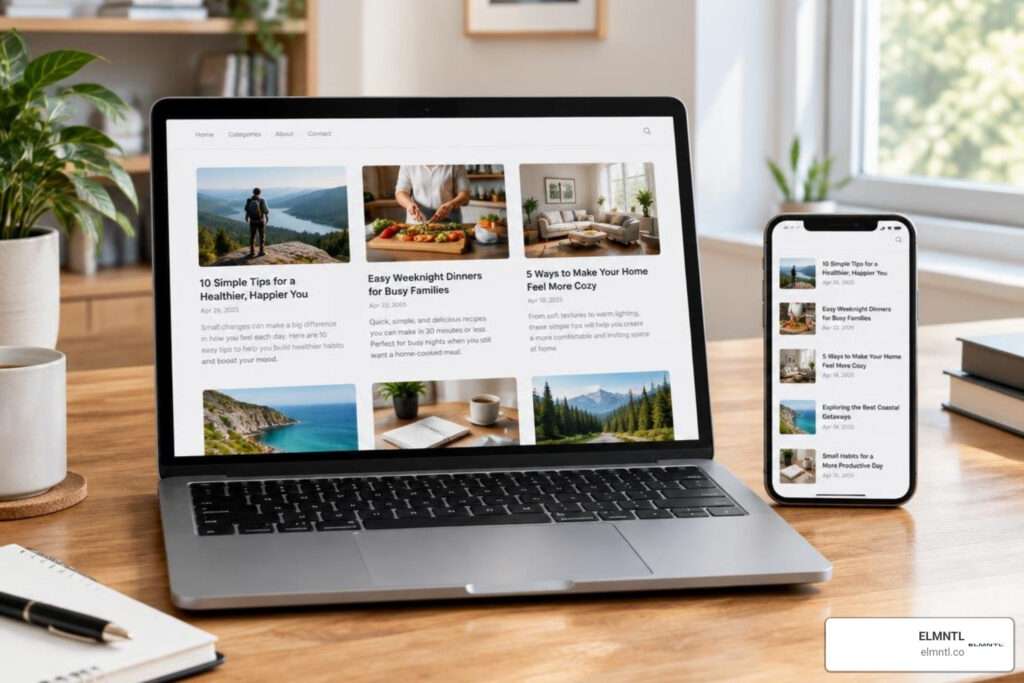
What the Best Blog UI Designs Have in Common
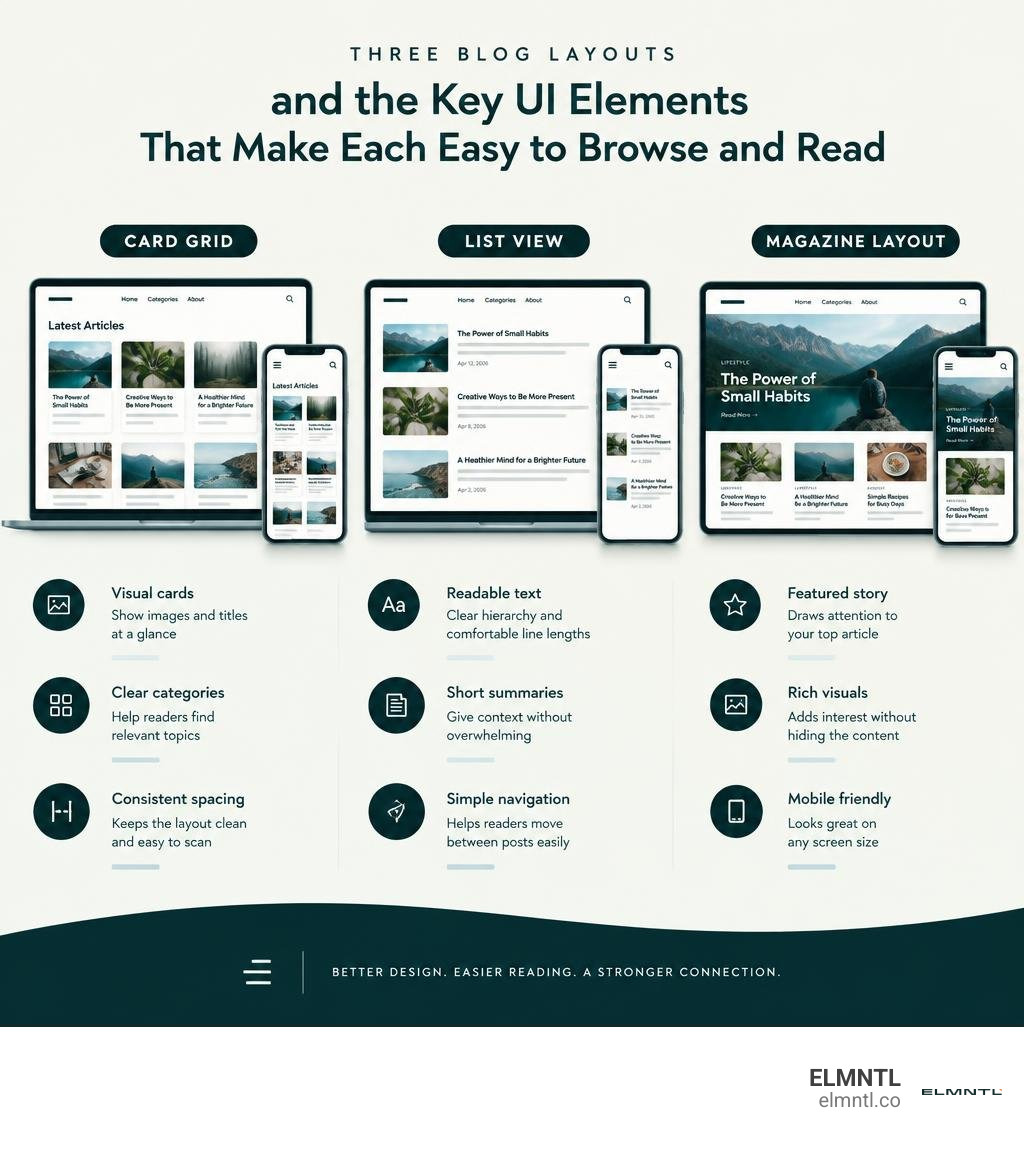
The best blog UI designs make it easy to find a story, choose what to read, and stay focused. For inspiration, look at three useful layouts:
- Card grids help readers browse a mix of topics and images.
- List views make article titles and summaries easy to scan.
- Magazine layouts give featured stories room to stand out.
Whichever layout you choose, keep the type readable, the navigation clear, and the design flexible on mobile. Visuals should support the content, not compete with it. The examples and patterns ahead show how to put those choices to work.
Core Principles Behind the Best Blog UI Design
Great editorial design is not about piling decorative elements onto a page. It is about creating an invisible highway between your ideas and your reader’s mind. When a visitor lands on an article, they make a subconscious judgment in fractions of a second. If the screen feels cluttered, text looks cramped, or navigation is confusing, they bounce.
A successful blog user interface balances visual appeal with high utility. By eliminating friction and avoiding common website UX mistakes, we give our audience a frictionless path to consume knowledge. That clarity directly drives lower bounce rates, longer dwell times, and higher conversion rates.
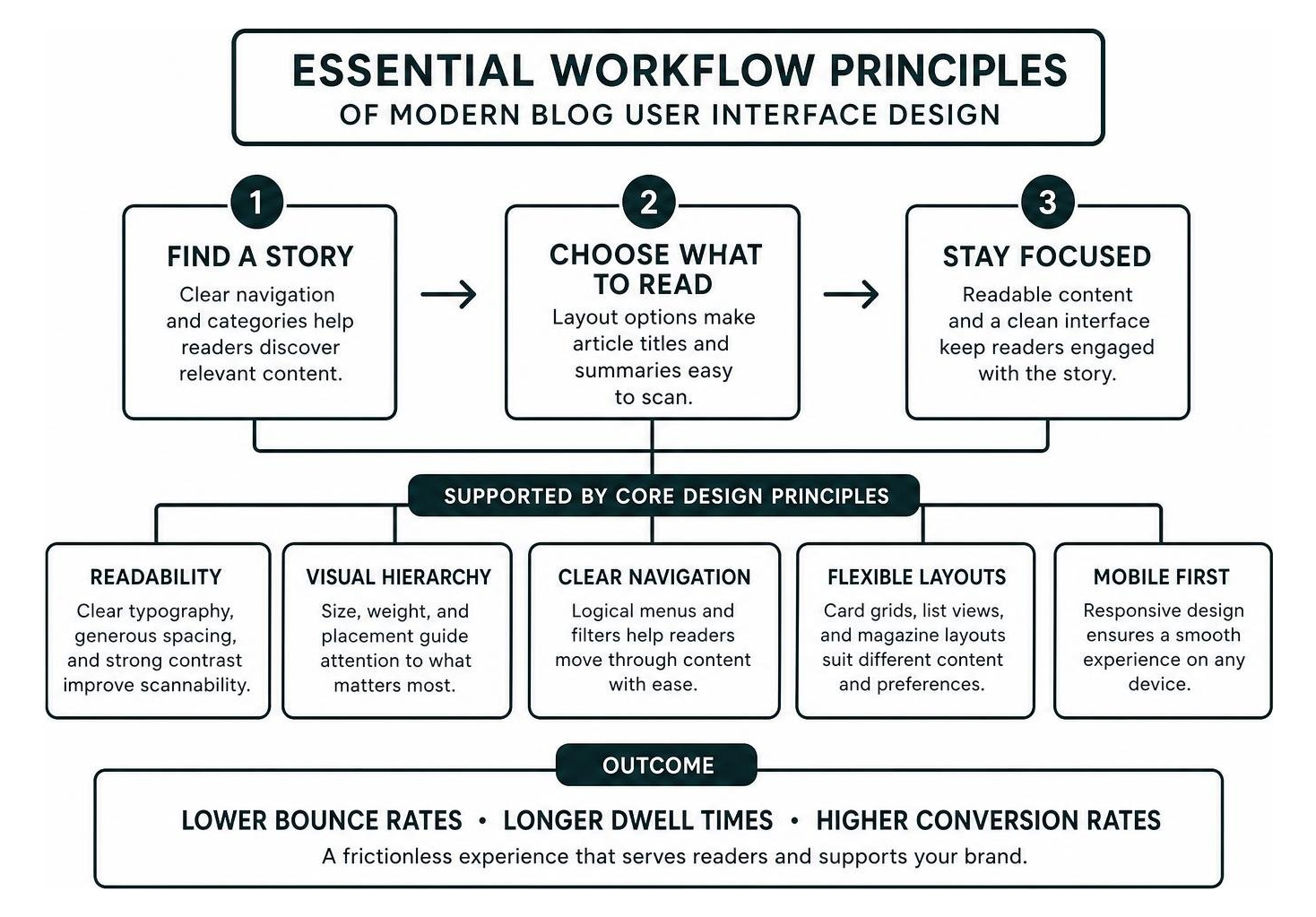
Readability forms the foundation of this experience. An interface can feature gorgeous bespoke artwork, but if the typography fails, the blog fails. Ensuring scannability with clear headers, generous line heights, and ample white space allows readers to digest key points effortlessly.
Visual Hierarchy and Editorial Rhythm
Visual hierarchy tells readers where to look first, second, and third. Without it, every element on the screen fights for equal attention, which leads to cognitive fatigue.
We establish visual hierarchy through deliberate contrast ratios, scale variations, and modular grids. A primary feature headline needs prominent weight, supported by distinct subheadings and readable body copy. Editorial rhythm also requires alternating between dense information blocks and breathing room. By crafting modern UX design with character, you turn a dry stream of text into an engaging visual narrative that reflects your unique brand personality.
Micro-Interactions and Visual Feedback
Micro-interactions are the subtle details that make a digital publication feel alive and responsive. They provide immediate feedback, reassure users that the system is working, and add delight to simple actions.
- Progress Indicators: A sleek, unobtrusive reading progress bar pinned to the top of the viewport gives users an immediate sense of article length and completion.
- Reading Time Badges: Displaying clear badges like “5 min read” sets clear expectations before someone commits to a deep dive.
- Interactive Hover States: Subtle elevation changes, image zooms, or color shifts on article preview cards confirm clickable elements without being jarring.
- Smooth Scroll Transitions: Gently guiding the viewport to linked subheaders creates a seamless reading flow.
Applying these touches grounds your blog in foundational UX design principles that keep users engaged throughout their journey.
Structural Layouts and Navigation Patterns
The structural layout of your blog dictates how effortlessly readers discover fresh content. Modern blogs have moved beyond rigid sidebars and endless unformatted text walls. Today, responsive grid systems allow layouts to adapt fluidly across desktops, tablets, and smartphones.
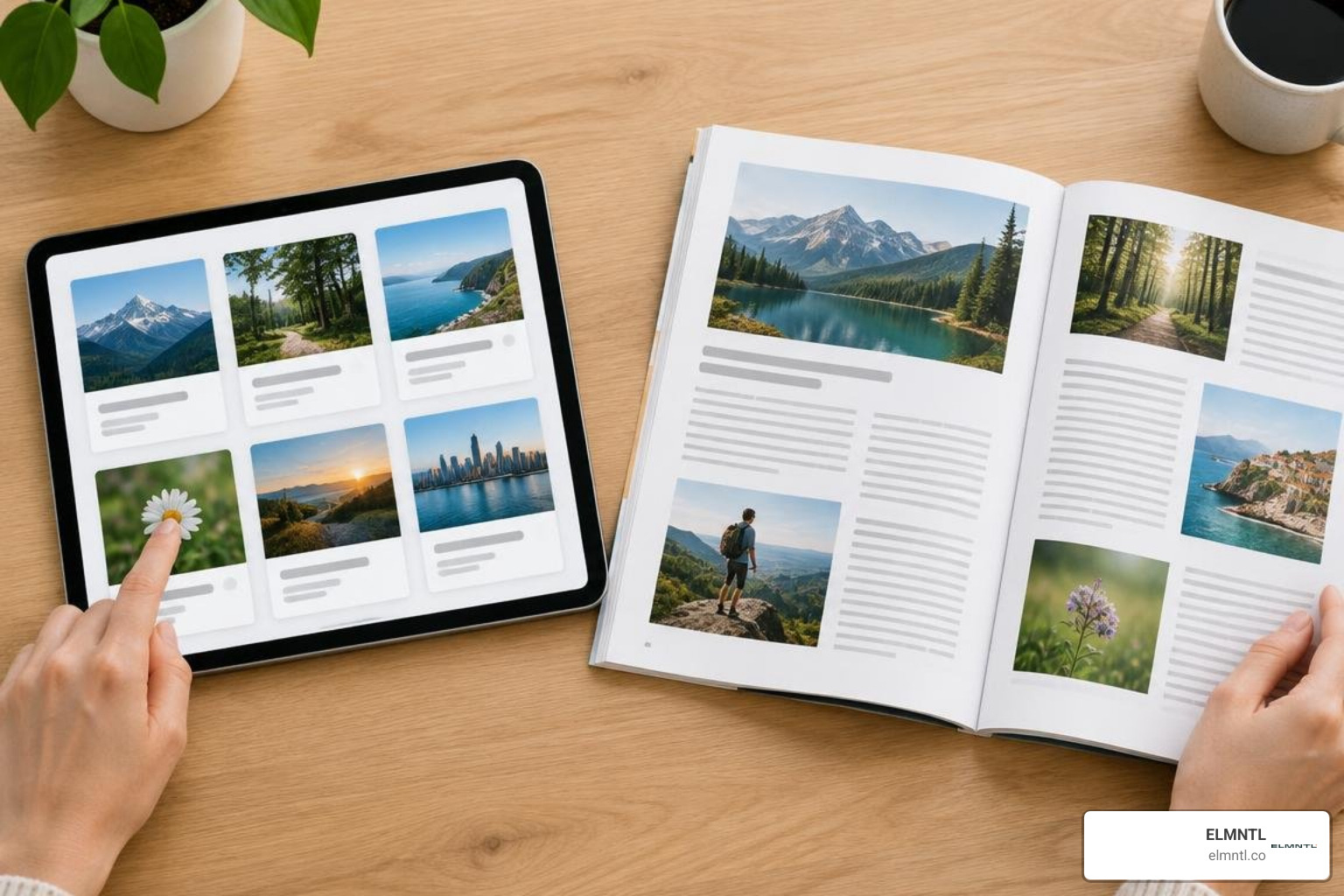
Choosing the Best Blog UI Design Layout for Your Content Strategy
Selecting the right layout depends entirely on your publishing frequency, media types, and audience intent. A technical developer hub demands a different structure than a visual lifestyle magazine.
| Layout Pattern | Best For | Scannability | Content Density | Media Adaptability |
|---|---|---|---|---|
| Modular Card Grid | Multi-topic blogs, SaaS resources, mixed media | High | Medium | Excellent for illustrations and UI previews |
| List View | News feeds, changelogs, developer documentation | Very High | High | Minimalist, text-focused |
| Magazine Editorial | Thought leadership, long-form stories, lifestyle | Moderate | Low to Medium | Outstanding for high-resolution photography |
| Featured Hero + Grid | High-volume publishers, breaking insights | High | Medium to High | Versatile across multiple media formats |
When planning layout variations, browsing curated inspiration from award-winning design blogs can spark innovative ways to arrange editorial blocks while maintaining intuitive structure.
Frictionless Discovery with Filtering and Search UX
When a blog grows past a dozen articles, discoverability becomes paramount. Readers should never struggle to locate relevant information.
Faceted search bars with instant auto-suggestions let users query specific topics rapidly. Complementing search with top-level topic pills or sticky filter bars allows visitors to pivot between categories in a single tap. Clear breadcrumb trails reinforce content taxonomy, giving readers instant context on where they are within your site hierarchy. Integrating these navigation elements is a core pillar of creating an intuitive website user experience that encourages exploratory reading.
Modern Trends and Visual Elements in 2026 Blog Interfaces
Blog design trends in 2026 emphasize personalized, immersive, and lightweight interfaces. Modern digital publications operate like specialized web applications, prioritizing user comfort and dynamic interaction over static pages.

Key trends shaping modern interfaces include:
- Light and Dark Mode Toggles: Giving readers control over their visual contrast reduces eye strain during extended reading sessions, especially on mobile OLED screens.
- Custom Vector Illustrations and SVG Graphics: Moving away from generic stock photos toward bespoke brand artwork builds immediate credibility.
- Interactive Visual Widgets: Embedded calculators, quick polls, and clickable data charts transform passive readers into active participants.
Studying real-world executions by exploring real-world blog section UI patterns highlights how top digital teams execute these trends cleanly.
Balancing Content Density with White Space
A common pitfall in blog UI design is the fear of empty space. Designers sometimes crowd sidebars with widgets, ads, badges, and popups, overwhelming the reader.
White space is an active design tool, not empty canvas. It groups related elements, separates distinct ideas, and gives the eyes necessary rest stops. Pairing comfortable margin spacing with optimal line height ratios (typically 1.5 to 1.7 times the font size) dramatically reduces cognitive load. Using practical strategies to improve website user experience ensures that your layout feels spacious, inviting, and easy to navigate.
Seamless Non-Intrusive Conversion Elements
A corporate blog exists to share insights, build trust, and support business growth. However, aggressive modal popups that block the screen the moment a user scrolls will alienate readers.
The most effective blogs integrate calls to action naturally into the editorial flow:
- Contextual In-Line Cards: Banners placed naturally between major sections that offer relevant templates, guides, or resources related to the exact topic being discussed.
- Sticky Table of Contents: A quiet, persistent sidebar element that highlights current reading position and features a subtle newsletter subscription box below the links.
- End-of-Article Action Blocks: Dedicated summary sections offering logical next steps once the reader has received full value from the article.
By harmonizing web design aesthetics and UX strategy, you can drive meaningful business conversions while maintaining complete respect for the reading experience.
Real-World Inspiration and SaaS Implementations
SaaS organizations often produce the gold standard for clean, modular, and functional blog interfaces. Because their audiences value software polish, these companies invest heavily in design systems that extend into their editorial publications.
Benchmarking the Best Blog UI Design Patterns Across SaaS Leaders
Looking at top software brands reveals several recurring patterns that elevate blog usability:
- Specify: Uses a clean, card-based layout featuring custom geometric illustrations, deep indigo accents, and generous white space. You can review their approach in this breakdown of minimalist SaaS feed architecture.
- Decipad: Merges an interactive notebook aesthetic with editorial layouts, utilizing soft color palettes and clear typographic scales to present technical data clearly.
- Stripe: Pairs subtle brand gradients and a modular card grid with refined typography, offering frictionless navigation and fast filtering.
Examining these examples alongside standout creative editorial blog showcases helps identify patterns you can adapt for your own publication.
Mobile-First Responsiveness and Speed Optimization
Over half of all editorial web traffic occurs on handheld devices. A desktop design that looks striking but degrades into broken text wraps or sluggish scroll performance on mobile will fail.
Mobile-first blog UI design requires:
- Generous Touch Targets: Buttons and navigation links must provide at least 44 by 44 pixels of tappable area to prevent misclicks.
- Optimized Image Formats: Utilizing next-gen image compression formats like WebP or AVIF ensures visual quality remains crisp while keeping page weight minimal.
- Clean Typographic Scaling: Employing fluid typography that scales smoothly between viewports prevents headlines from dominating the entire screen on mobile.
- Fast Load Times and Core Web Vitals: Minimizing heavy client-side scripts ensures pages render instantly, which directly benefits SEO rankings and bounce rates.
By studying websites with exceptional UX design, we see that speed and responsiveness are just as vital to design excellence as color palettes or type choices.
Frequently Asked Questions About Blog UI Design
How does dark mode impact reader retention on editorial blogs?
Dark mode significantly reduces eye fatigue in low-light environments and decreases battery draw on modern OLED displays. By offering a clean toggle between light and dark themes with properly adjusted contrast ratios (avoiding pure black backgrounds with pure white text to prevent halation), you cater to user preferences and encourage longer reading sessions.
What is the ideal line length and font size for blog readability?
The optimal line length for comfortable digital reading is between 50 and 75 characters per line, including spaces. For body copy, standard font sizes between 16px and 20px paired with a 1.5 to 1.7 line height provide the most comfortable reading experience across modern screen resolutions.
How do sticky tables of contents improve user engagement?
A sticky table of contents provides continuous orientation for the reader during long-form guides. It allows users to scan the full scope of an article quickly, jump directly to the specific subtopics they need, and track their reading progress in real time. This convenience lowers bounce rates on comprehensive articles.
Conclusion
Mastering modern blog UI design requires balancing visual flair with clean functionality. When you prioritize typographic clarity, intuitive navigation, fast performance, and respectful conversion touchpoints, your blog transforms from a simple repository of articles into an engaging brand asset.
At ELMNTL, we help brands design and build digital experiences that capture attention and drive sustainable business growth. Whether you are launching an editorial publication or refining an enterprise content platform, crafting thoughtful visual systems establishes lasting authority. To refine your design workflow, start by exploring the best UI and UX software tools available today.