

ActiveCampaign Support Email: Where to Send Your Request
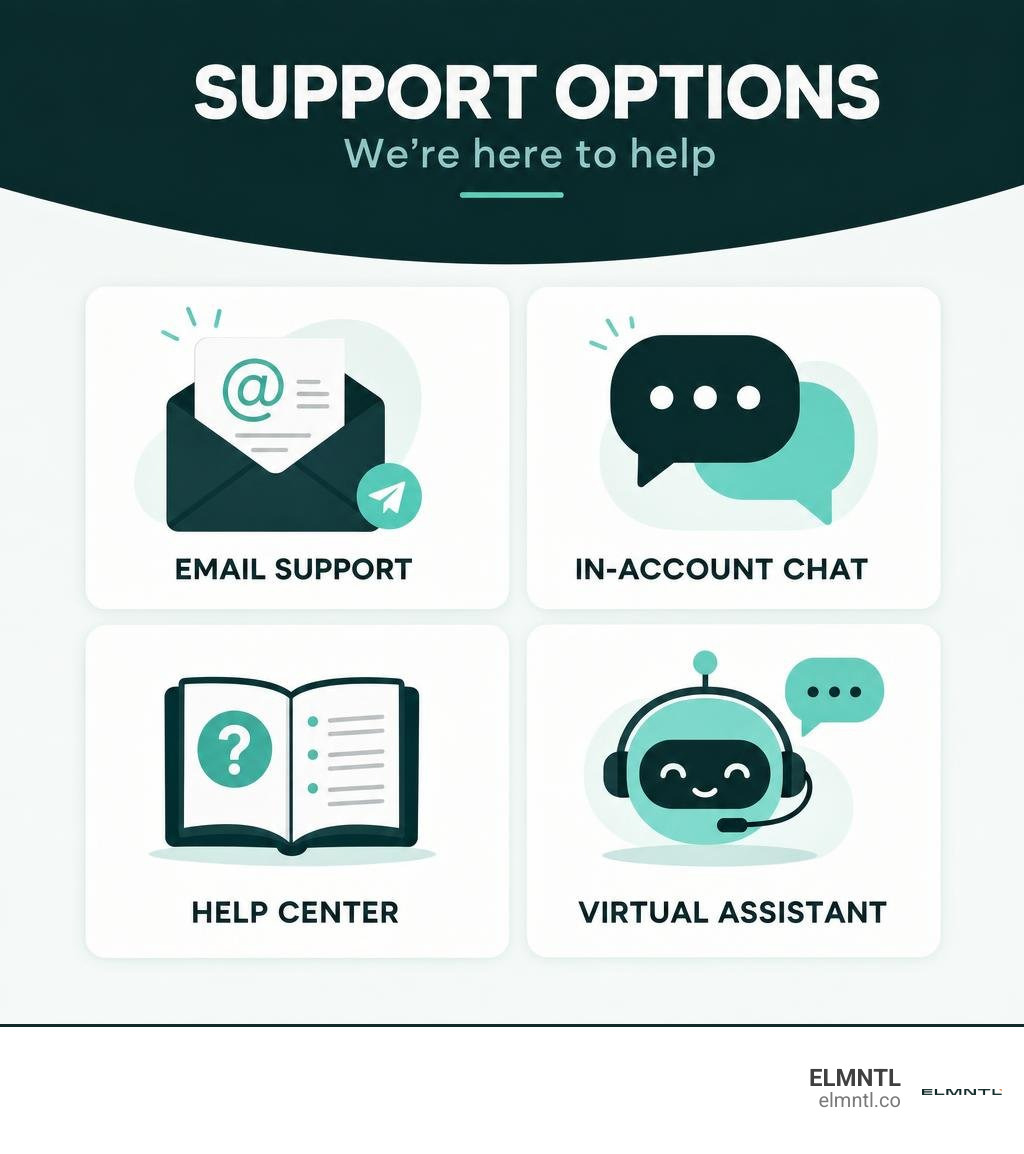
The ActiveCampaign support email is help@activecampaign.com. Send your request from the email address tied to your account. Include your Account ID, a short description of the issue, any error message, and a screenshot if it helps show what went wrong. If you need help right away, you can also check the Help Center or try chat in your account.
How to Contact Support Using the ActiveCampaign Support Email

When an automation stalls, a webhook misfires, or an unexpected billing charge appears on your statement, you need a direct line to someone who can fix it. While self-service portals have grown increasingly popular, sending an email remains one of the most reliable ways to create a documented paper trail with customer service.
You can browse the ActiveCampaign Help Center to search through self-serve guides, but when you need direct intervention, sending a message creates a formal ticket in their system. This guarantees that your technical issue is queued, reviewed by a specialist, and tracked until resolved.
What Is the Official ActiveCampaign Support Email Address?
The primary and official contact address for all general customer assistance is help@activecampaign.com.
When you write to this inbox, your inquiry is ingested into their ticketing desk and assigned a tracking number. Real support specialists monitor this queue to address troubleshooting inquiries, system glitches, and account discrepancies.
If you are already working inside the platform, you can also trigger a support ticket by following the official walkthrough to get help with your ActiveCampaign account through your user dashboard. Whether submitted via direct inbox or in-app contact forms, your request routes into the same core support infrastructure.
Dedicated Email Requests: Account Name Changes and VAT Updates
Certain administrative modifications cannot be handled via live chat or self-service settings due to security protocols and technical dependencies. Specifically, account renames and tax identifier updates must be handled by the Customer Experience team via email.
1. Changing Your Account Name (CName / Subdomain)
Your account URL (such as yourcompany.activecampaign.com) is tied to tracking links, API keys, database records, and form embeds. Because changing this identifier causes serious downstream consequences, ActiveCampaign requires you to submit your request via email from the primary account administrator address.
Before requesting a rename, be aware of what happens behind the scenes:
- Past campaign metrics and tracking links will no longer function.
- Hosted images in legacy campaigns must be re-uploaded.
- All active API connections, webhooks, and third-party integrations must be reconfigured with the new account URL.
- Embedded forms and external tracking scripts must be updated on your website.
For full technical specifications on how to prepare your assets, check out the official guide on how do I change my account name. Once you are ready, email help@activecampaign.com with your current account name and the requested new name. The update typically takes 24 to 48 hours to complete.
2. Updating Your VAT Number
For businesses operating in regions that require Value Added Tax (VAT) reporting, tax identification updates cannot be completed through your regular billing settings tab.
To update your tax registration details, review the documentation on how do I change my VAT number with ActiveCampaign and send an email directly to help@activecampaign.com. When the Customer Experience team applies the new VAT number to your account, the system automatically applies the update retroactively to all past invoices as well as future billing statements.
Reporting Phishing Attempts and Security Inquiries
Cybercriminals frequently target email marketers with spoofed messages designed to capture platform credentials. Phishing emails often mimic password reset notifications, account suspension warnings, or billing failure alerts using lookalike domains such as support@activecampalgns.com.
ActiveCampaign maintains strict operational rules regarding your private credentials. They will never ask you for your account password or multi-factor authentication (MFA) codes over email.
If you receive a suspicious message that appears to come from the platform:
- Do not click any links, open attachments, or input login credentials.
- Review the safety guidelines on how to protect your ActiveCampaign account from phishing scams.
- Forward the suspicious email with its full technical headers to
help@activecampaign.com. - Delete the email immediately from your inbox and trash folders.
- If you suspect your credentials have been compromised, immediately reset your password, rotate your API keys, and enforce MFA across all user seats.
Alternative Ways to Reach ActiveCampaign Customer Service
While email is ideal for detailed documentation, real-time troubleshooting often demands faster communication channels. ActiveCampaign offers multiple contact options depending on your urgency, account plan, and preferred communication style. You can explore all available avenues directly on the official contact ActiveCampaign page.
In-App Live Chat and Support Hours
Live chat is the fastest route to a human specialist for active technical troubleshooting. You can launch a session directly inside your logged-in dashboard by clicking the Help icon in the lower navigation bar.
Live chat operates under dedicated schedule windows:
- Monday through Friday: 3:00 AM to 11:00 PM Central Time (CT)
- Sunday: 6:00 PM to 11:00 PM Central Time (CT)
If you start a chat outside these operating windows, the widget transitions into an offline contact form, automatically routing your message to the email ticketing queue. Support is offered across six languages, ensuring international marketing teams receive assistance in their native tongue.
Virtual Assistant and Phone Assistance Options
ActiveCampaign does not offer a direct, publicly listed phone line for immediate, general tier-one technical troubleshooting. However, they do provide targeted voice channels for specific needs:
- Support Virtual Assistant: You can dial +1 (866) 876-9691 to connect with an automated voice assistant capable of providing self-service answers, directing you to online guides, or taking messages for account verification.
- Sales and Upgrades: New and prospective accounts can reach the dedicated sales team by phone at +1 (800) 357-0402.
- Enterprise Scheduled Phone Support: High-volume accounts on Enterprise tiers often have access to scheduled 1-on-1 strategy calls and phone consultations with their assigned Account Manager.
Help Center Resources and Community Support
Before opening a ticket, you can often solve technical puzzles using ActiveCampaign’s comprehensive self-service network:
- Help Center Knowledge Base: Hundreds of step-by-step guides organized across categories including Automations, CRM, Email Marketing, Deliverability, and AI tools.
- ActiveCampaign Community Forum: A peer-to-peer discussion board where thousands of marketing professionals, agency owners, and power users share custom script solutions, webhook workflows, and integration advice.
- Product Release Updates: A public changelog tracking recent bug fixes, platform enhancements, and feature rollouts so you can verify whether an issue is an isolated glitch or part of a platform-wide update.
- Webinars and Video Courses: Regular live training sessions and on-demand video tutorials covering beginner onboarding to advanced multi-branch automation architecture.
Best Practices for Submitting Support Requests
Support agents review hundreds of inquiries daily. The speed and quality of the response you receive depends heavily on the clarity of your initial message. Vague tickets like “My automation is broken” inevitably trigger back-and-forth clarification emails, adding hours or days to your resolution time.
What to Include in Your ActiveCampaign Support Email for Faster Resolutions
To get a definitive answer on the first reply, structure your support email with these key details:
- Account Identification: Always write from the primary admin email address and list your exact Account ID or subdomain URL.
- Exact Asset Names and URLs: Provide the exact name of the campaign, list, tag, deal stage, or automation rule causing trouble. If possible, paste the direct browser URL to that specific asset.
- Contact Examples: If an issue affects specific subscribers, provide the email addresses of 2 or 3 affected contacts so engineers can pull server logs.
- Step-by-Step Reproduction: Detail what you did, what you expected to happen, and what actually occurred.
- Exact Error Text and Visuals: Copy and paste exact error codes and attach full-screen screenshots showing the relevant dashboard view.
Handling Billing Disputes and Post-Cancellation Charges
A common frustration among SaaS users involves unexpected credit card charges after a subscription cancellation or plan modification. Because ActiveCampaign bills based on total contact tiers, exceeding your contact threshold can automatically bump your account into a higher pricing bracket.
If you notice an unexpected charge after modifying or canceling your plan:
- Locate your initial cancellation or downgrade confirmation email.
- Review your contact list count to see if imported lists pushed you over your tier limit prior to renewal.
- Send a polite, structured email to
help@activecampaign.comwith the subject line “Billing Inquiry: Unexpected Charge on Account [Your Subdomain]”. - Include the invoice number, charge amount, date of transaction, and the last 4 digits of the payment method.
- Provide a copy of your cancellation confirmation receipt to expedite a refund or billing adjustment.
Support Availability Across Subscription Tiers
ActiveCampaign scales its support resources according to your subscription tier. While every paying customer receives baseline email and ticket support, response speeds and channel availability expand as you move up the tiers.
| Support Channel / Feature | Free Trial | Starter Plan | Plus Plan | Pro Plan | Enterprise Plan |
|---|---|---|---|---|---|
| Email / Ticket Support | Included | Included | Included | Included | Priority Routing |
| Help Center & Community | Full Access | Full Access | Full Access | Full Access | Full Access |
| In-App Live Chat | Limited | Standard Hours | Standard Hours | Extended Hours | 24/7 Priority Chat |
| Response SLA | Best Effort | Standard Queue | Standard Queue | Expedited Queue | Dedicated Fast-Track |
| 1-on-1 Strategy Calls | None | None | None | Optional Add-on | Included / Regular |
| Dedicated Account Manager | None | None | None | None | Included |
| Phone Consultation | None | Virtual Assistant | Virtual Assistant | Virtual Assistant | Scheduled Calls |
Free Trials vs. Paid and Enterprise Support Access
- Free Trials: Trial users have full access to knowledge base articles, community forums, and automated virtual assistance. Direct chat may be limited, but you can always email support for setup guidance.
- Starter and Plus Plans: These tiers unlock complete access to in-app live chat during standard operating hours, alongside standard email ticketing for technical and billing inquiries.
- Pro Plans: Pro users receive expedited routing in chat queues, ensuring shorter wait times during peak business hours.
- Enterprise Plans: Enterprise clients receive dedicated Account Managers, custom migration assistance, direct phone check-ins, and priority ticket routing where engineers address technical escalations under strict response agreements.
Frequently Asked Questions About ActiveCampaign Customer Support
What is the typical response time for ActiveCampaign email support?
Standard email inquiries sent to help@activecampaign.com typically receive a response within 24 to 48 hours. Response times vary based on global ticket volume, the complexity of your technical issue, and your plan tier. Enterprise customers receive priority routing, often cutting email wait times down to a few hours.
Is there a direct phone number for live technical support?
No. ActiveCampaign does not offer an open, incoming phone number for real-time tier-one technical troubleshooting. You can call their virtual assistant at +1 (866) 876-9691 for automated guidance or their sales desk at +1 (800) 357-0402. Live human technical troubleshooting is conducted via in-app live chat and email ticketing.
How do reseller and agency partner accounts receive assistance?
If your account is managed under an Agency Partner or Reseller, your in-app chat widget may be restricted or disabled by default. Agency clients should submit their support requests directly to their managing agency. Agency Partners have access to a dedicated partner portal to escalate complex server-side issues to ActiveCampaign’s internal engineering team.
Scaling Your Automation Beyond Customer Support
Having a reliable help desk is essential, but building an efficient marketing engine means minimizing technical friction before it starts. Proper list segmentation, clean API integrations, and robust deliverability protocols prevent the common pitfalls that send marketers searching for help desks in the first place.
At ELMNTL, we help growing brands design, build, and optimize high-performing marketing workflows that run smoothly across every channel. Explore our strategic insights on integrated marketing to learn how we connect data, creative campaigns, and automated systems to scale businesses without the technical headaches.