

Connect Constant Contact to Shopify and WooCommerce
To connect Constant Contact and Shopify, install the Constant Contact app, link your accounts, and confirm you have permission to email the contacts you sync. Then check your contact lists, add a store product to a test email, and set up a welcome or abandoned-cart sequence.
For WooCommerce, check Constant Contact’s current integration options before connecting. Verify which customer, product, and order data the connector supports, then test the sync and any automation triggers. These checks help you catch gaps before you send a campaign.
Important constant contact shopify terms:
How the Constant Contact Shopify integration works and how to set it up
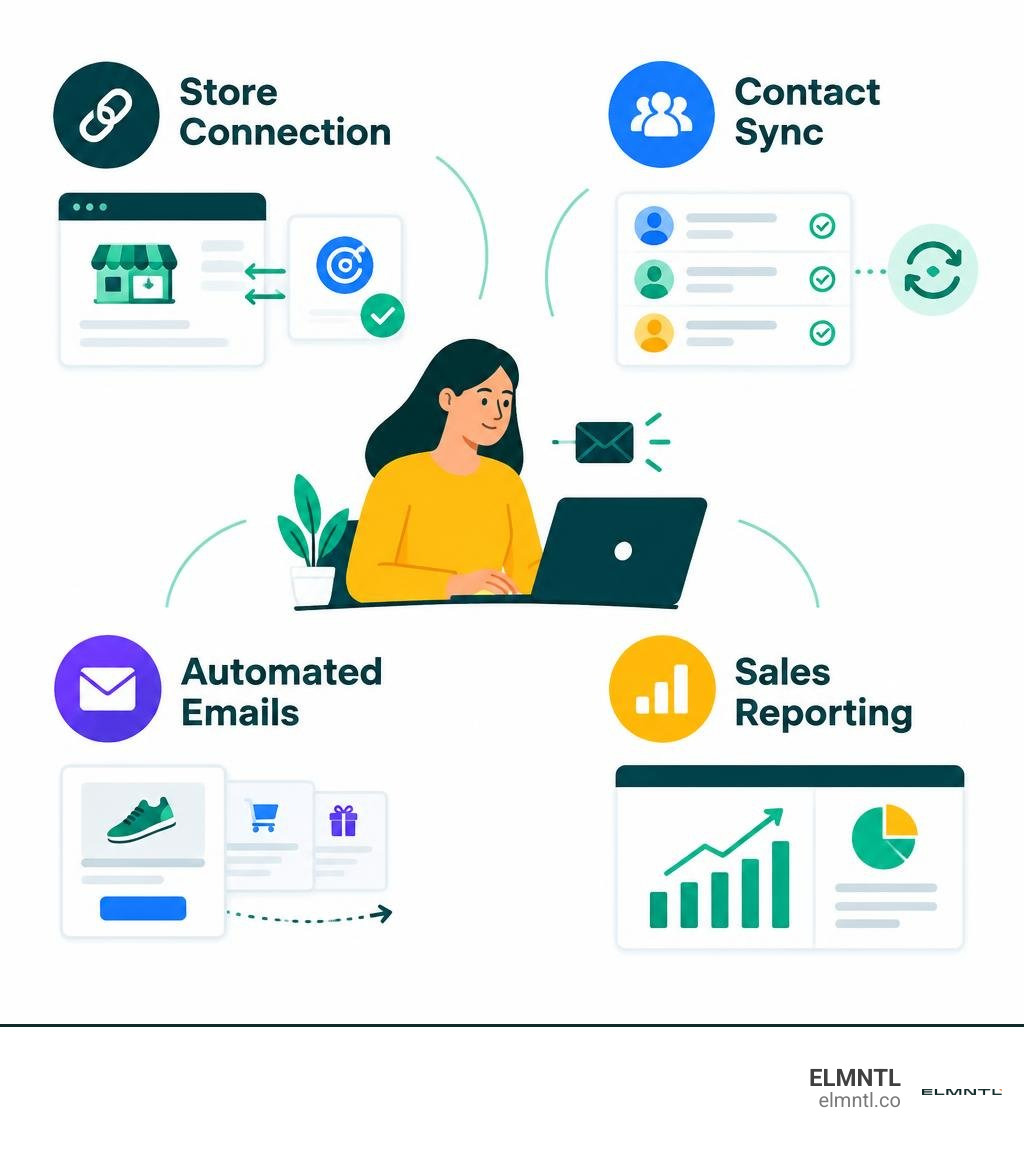
Connecting an ecommerce storefront to your marketing stack bridges customer purchase behavior with targeted outreach. When you link these platforms, customer records, purchase histories, and product catalogs align so you can trigger automated messaging based on real-time activity.
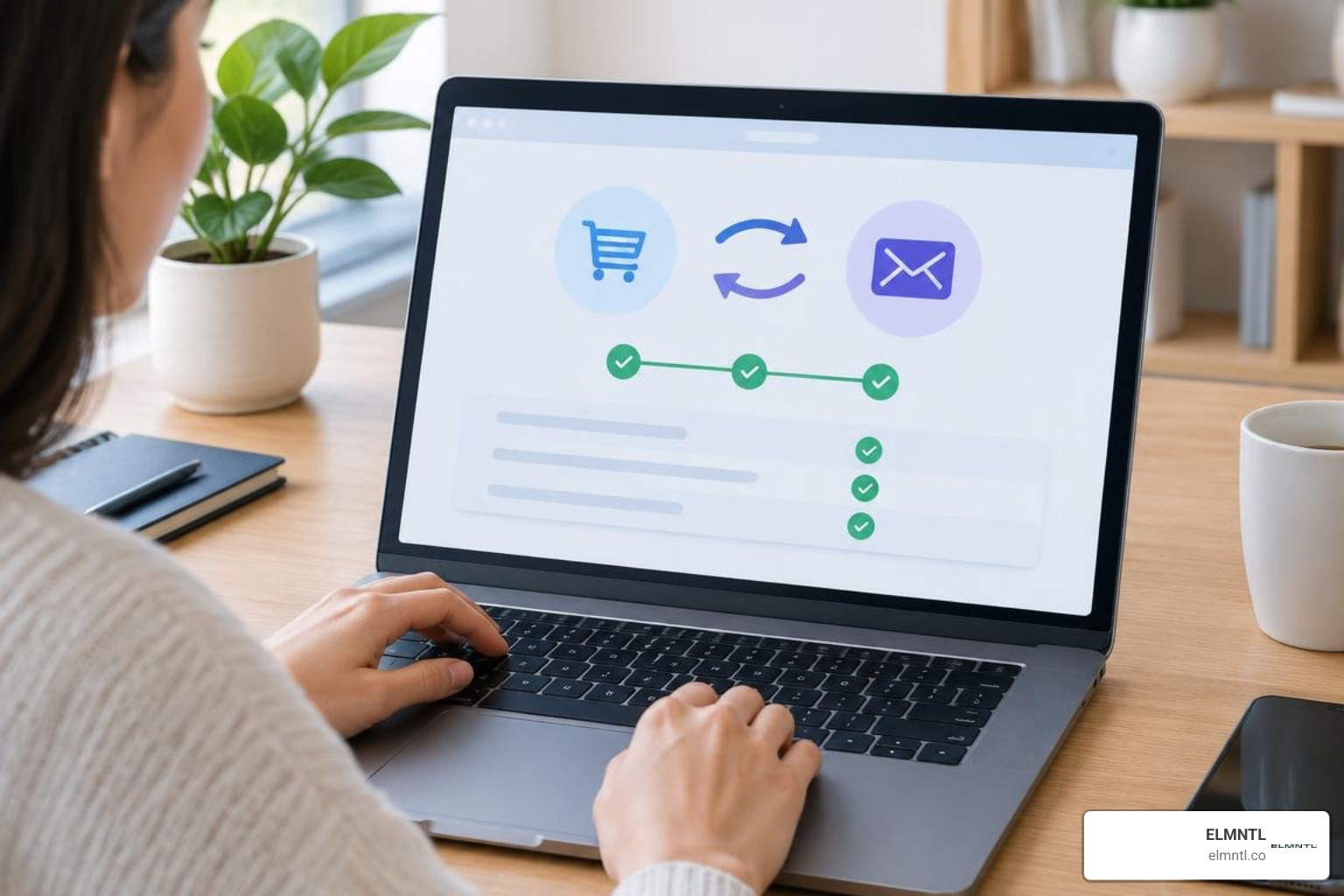
For merchants setting up a store, reviewing the official Shopify and Constant Contact connection guide alongside the Constant Contact Shopify app listing clarifies how data flows between systems. The primary mechanism relies on syncing customer records, order histories, and product data while maintaining marketing consent status.
What the Constant Contact Shopify integration syncs
The integration transfers specific store data into your marketing account to organize audiences and build dynamic campaigns:
- Customer Details and Consent: Synchronizes contact names, email addresses, phone numbers, and physical addresses for customers who agreed to receive marketing communications.
- Purchase Activity and Orders: Imports historical and ongoing order details, allowing you to segment buyers by recency, frequency, and monetary value.
- Product Catalog Information: Pulls images, titles, descriptions, and pricing directly from your product catalog into drag-and-drop product blocks.
- Segmented Lists: Automatically creates segmented lists for recent buyers, repeat customers, and lapsed purchasers, keeping audience groups organized.
- Ecommerce Reporting: Maps campaign clicks back to completed purchases, showing attributed revenue within your performance dashboards.
How to set up the Constant Contact Shopify integration
Follow these steps to connect your Shopify store directly:
- Log in to your marketing dashboard, navigate to the Integrations tab, locate the Shopify integration block, and click Connect Account. Alternatively, install the app directly from the Shopify App Store.
- Enter your store domain and authenticate your account credentials.
- Review the requested app permissions and grant access to customer records, orders, and product data.
- Check the consent verification box confirming that all imported customers explicitly opted in to email marketing.
- Complete the connection by following the official connection instructions to verify that initial customer lists populated accurately.
- Open your email editor, drag a Product block into a draft template, and ensure it retrieves your store catalog.
How to connect a WooCommerce store
Connecting WooCommerce follows a similar methodology through the Constant Contact integrations directory or a dedicated connector plugin. Before launching campaigns, verify supported data fields and test sync behavior:
- Navigate to the integrations directory and select the WooCommerce connection option.
- Authorize the API connection between your WordPress environment and your marketing account.
- Verify that customer opt-in flags map accurately so non-consenting checkout guests remain excluded.
- Confirm supported data fields, ensuring product variations and historical order totals transfer properly.
- Send a test campaign to confirm that ecommerce email marketing features such as purchase tracking and behavioral triggers function as expected.
Email campaigns and automations for Shopify and WooCommerce
Automated campaigns transform routine customer actions into direct sales. Research shows that brands earn an average of $45 for every dollar spent on email marketing for ecommerce. A focused automated strategy can drive significant returns, such as Wellington Brewery generating $36,000 in annual revenue from automated follow-ups alone. Understanding is email marketing effective comes down to building timely, relevant communication paths.
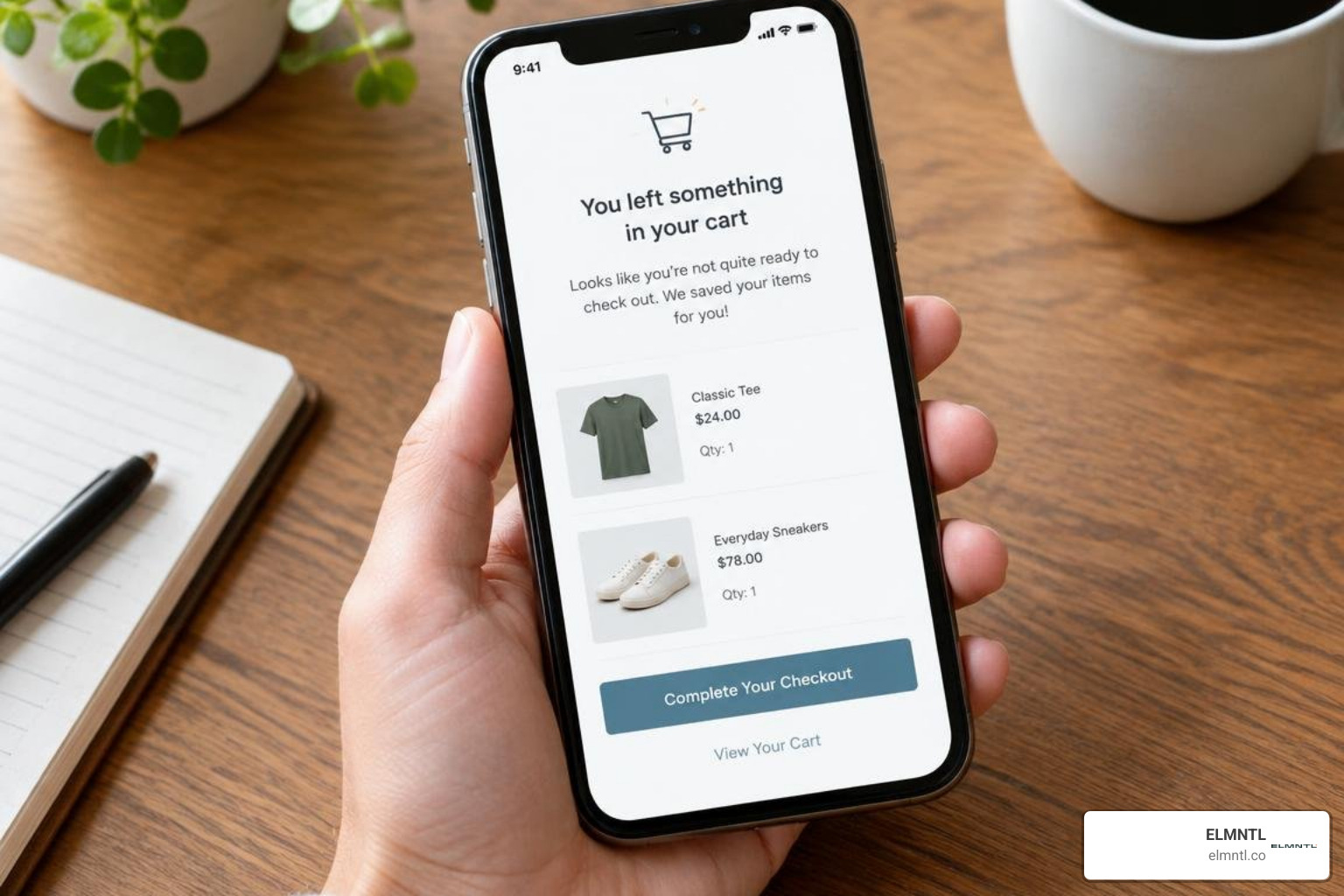
Implementing tested digital marketing for e-commerce allows you to capture lost sales, encourage repeat orders, and keep your brand top of mind.
Abandoned cart and other automated sequences
Pre-built behavioral workflows allow you to engage shoppers at key moments across their customer journey:
- Abandoned Cart Reminders: Trigger an automated message when an identified shopper adds items to their cart but does not complete checkout. You can split sequences by cart value or geographic location, offering free shipping or discount codes for higher-value carts.
- Welcome Automations: Greet new subscribers immediately upon signup with brand storytelling and an introductory offer.
- Post-Purchase Follow-Ups: Send transactional thank-you messages, order confirmation details, and product care guides shortly after delivery.
- Review and Feedback Requests: Ask for ratings or reviews a few weeks after purchase to build social proof.
- Re-Engagement Sequences: Target past buyers who have not purchased in 60 to 90 days with special incentives.
- Integrated SMS Outreach: Incorporate SMS messaging alongside email for time-sensitive promotions, provided customers granted explicit text opt-in consent.
Product promotion and performance measurement
Creating promotional emails is streamlined using drag-and-drop product blocks. When you insert a product block into an email template, it automatically pulls the item’s featured image, title, description, and live price directly from your store. The call-to-action button links straight to the product page for quick checkout.
Constant Contact provides access to over 600 email templates and reports a 98% inbox placement rate across its network. However, maintaining high deliverability still requires proactive list hygiene. Routinely remove unengaged subscribers, validate opt-in consent, and run subject line A/B tests to optimize open rates and click-through performance.
Pricing, platform fit, and key trade-offs
Pricing is contact-based and scales with the size of your subscriber list. All tiers include a 30-day free trial, with recurring billing processed in USD every 30 days. External charges, such as SMS usage or specialized third-party connectors, may appear separately.
| Plan Tier | Starting Price (USD) | Automation Features | Core Capabilities | Best Fit |
|---|---|---|---|---|
| Lite | $12 / month | 1 automated sequence | Over 300 integrations, template access, basic reporting | New stores with small lists and simple newsletter needs |
| Standard | $35 / month | 3 automated sequences | Subject line A/B testing, resend to non-openers, contact segmentation | Growing brands needing abandoned cart and welcome automations |
| Premium | $80 / month | Unlimited automated sequences | Dynamic content, custom segmentation, advanced advertising tools, SEO features | Established stores requiring multi-branch automations and deep segmentation |
Choosing a Constant Contact plan for your store
Selecting the right plan depends on your operational priorities:
- List Size and Growth: Ensure your budget accounts for contact-tier thresholds as your subscriber list expands.
- Automation Complexity: If your strategy requires simultaneous abandoned cart, welcome, post-purchase, and win-back workflows, the Standard or Premium tiers are necessary.
- Reporting and Optimization: Stores seeking advanced attribution and A/B testing should prioritize tiers that include comparative reporting.
- SMS Requirements: If text marketing is central to your launch, check plan limits and ensure separate messaging allowances meet your campaign volume.
Shopify and WooCommerce integration comparison
Evaluating how each platform handles synchronization helps determine operational requirements:
| Comparison Area | Shopify Direct App | WooCommerce Integration |
|---|---|---|
| Connection Method | Official Shopify App Store installation | Native connector or API plugin setup |
| Setup Time | Typically under 10 minutes | 15 to 30 minutes depending on plugin configuration |
| Sync Mechanism | Automated data sync for customers, orders, and products | Scheduled or webhook-driven data transfer |
| Product Block Functionality | Native drag-and-drop catalog integration | Catalog retrieval via active API connection |
| Order Attribution | Direct ecommerce sales reporting in dashboard | Revenue tracked via connected store endpoints |
| Maintenance | Managed automatically via app updates | Requires periodic plugin and WordPress compatibility updates |
Privacy, app reviews, and common integration issues
Before installing any third-party connector, merchants should evaluate data access permissions. The Shopify application requests access to customer details (names, emails, phone numbers, addresses), device information (IP addresses, browser types), and store resources (orders, product collections, script tags, price rules). Adhering to data minimization principles and confirming subscriber consent ensures compliance with regional privacy regulations.
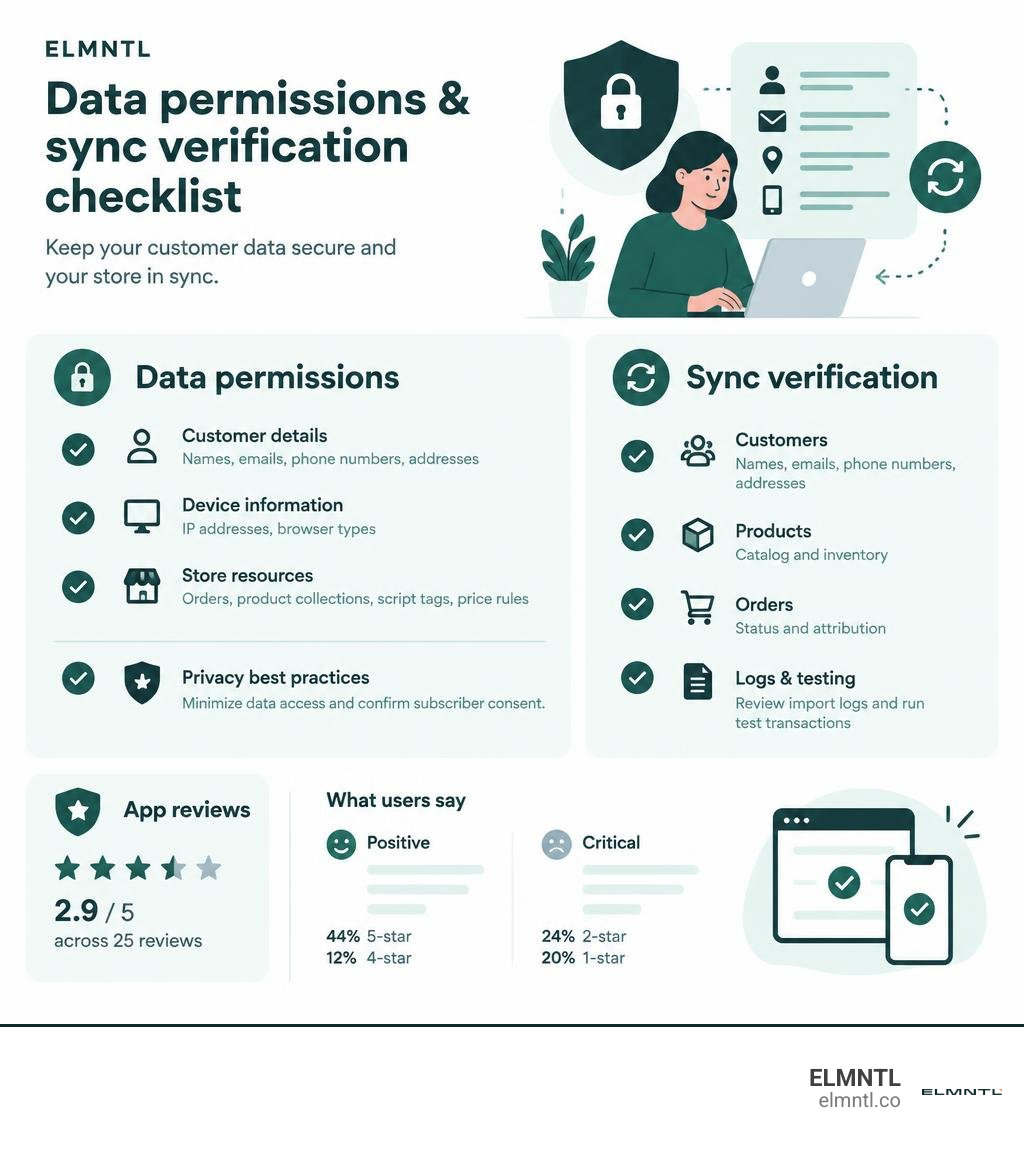
On the Shopify App Store, the official integration holds a 2.9 out of 5-star rating across 25 reviews. An analysis of user feedback shows distinct patterns:
- Positive Ratings (44% five-star, 12% four-star): Merchants praise the intuitive drag-and-drop interface, accessible email templates, and responsive onboarding support.
- Critical Ratings (24% two-star, 20% one-star): User complaints center on technical sync bugs, such as customer last names occasionally being overwritten with numeric strings during bulk syncs, as well as delays in reaching technical support during complex sync errors.
To prevent sync issues, always review initial import logs, run test transactions, and verify that customer records map accurately across both platforms.
Common questions about Constant Contact and Shopify
Does Constant Contact support abandoned cart emails for Shopify?
Yes. You can trigger automated abandoned cart reminders using pre-built ecommerce templates that include product details and direct checkout links.
How frequently does customer data sync between Shopify and Constant Contact?
Core subscriber additions and updates sync automatically. Full contact lists, purchase histories, and segment data refresh on regular intervals to keep audiences aligned.
Can I insert live Shopify products into email campaigns?
Yes. Using the Product block in the email editor, you can search your connected catalog to auto-populate images, titles, descriptions, and prices.
What should I check if customer data fields sync incorrectly?
Verify your data mapping settings in the app configuration, confirm that no conflicting third-party checkout scripts are modifying customer fields, and ensure API permissions remain authorized.
Conclusion
Maximizing ecommerce revenue requires connecting your store platform with an email marketing engine built for consent-based list growth and automated messaging. By verifying data syncs, testing abandoned cart sequences, and selecting a plan that matches your contact volume, you can establish an effective sales channel that scales with your business.
For guidance on refining audience segmentation and building high-converting ecommerce campaigns, explore integrated marketing strategies to support your brand’s growth.