

Choosing Software to Design User Interfaces in 2026
Start with your team’s workflow, not the longest feature list. Figma is a strong choice for teams that need shared files, reusable components, and real-time editing. Penpot is worth a look if open-source software or self-hosting matters. Sketch suits Mac-based designers who prefer a native app. AI tools can speed up early concepts, but their output still needs review.
This guide compares the tools, their trade-offs, and the features that matter when a design moves from idea to working product.
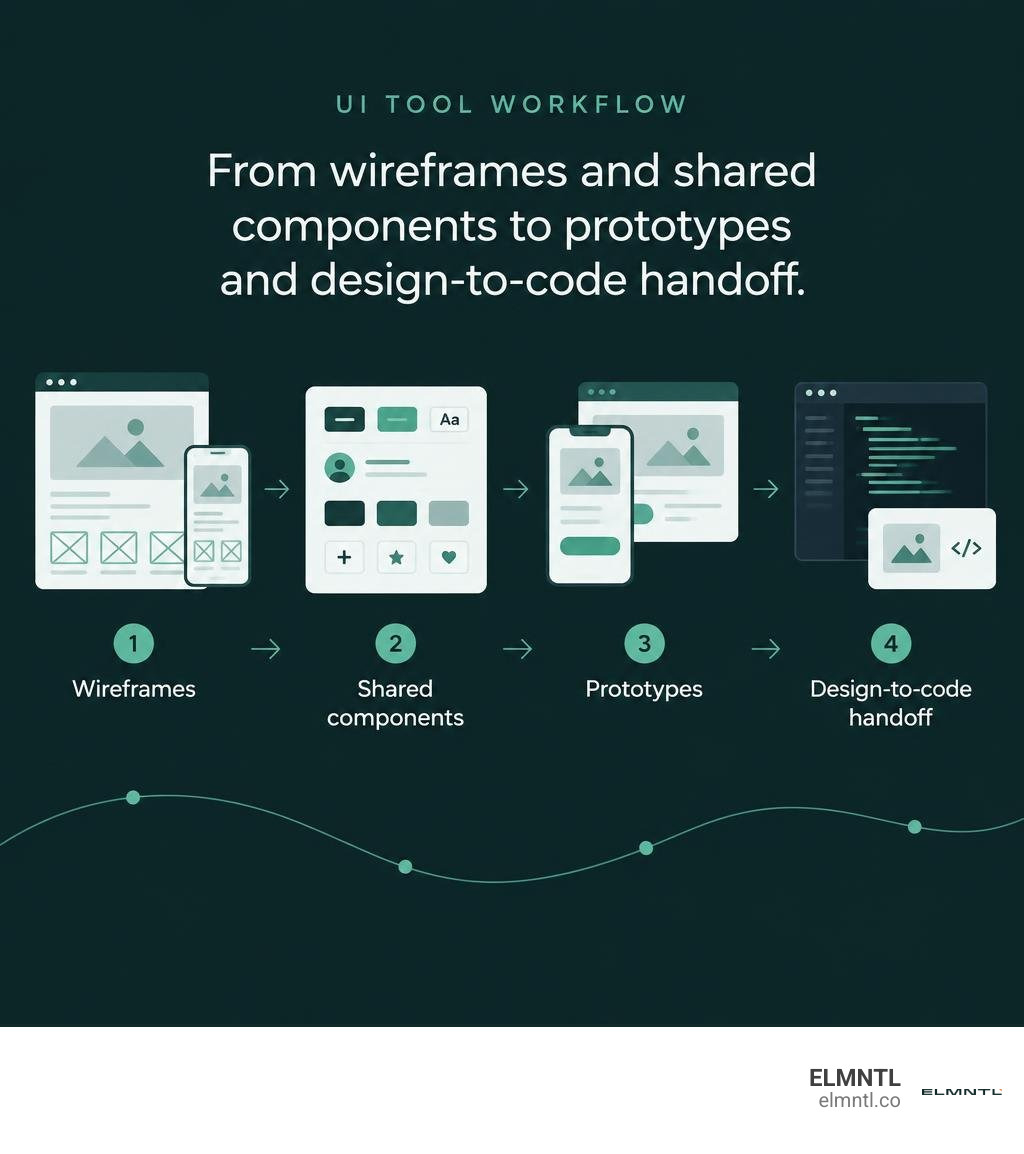
Jobs across web development and digital interface design are projected to grow 7 percent between 2024 and 2034, outpacing the average for all occupations. As digital experiences become central to brand equity and customer retention, selecting the right software to design user interface systems determines how smoothly your product evolves from initial wireframe to production code.
Understanding the Foundations: UI vs. UX in Modern Product Design
Before comparing platforms, it helps to distinguish user interface (UI) design from user experience (UX) design. While closely tied, they solve distinct problems. UI design shapes the visual touchpoints of a product, including layout grids, typographic scales, button states, color palettes, and component responsiveness. UX design focuses on the user journey, structural hierarchy, and information flow. Understanding these fundamentals begins with a comprehensive guide to UX design basics, which details how user research establishes the baseline for interface styling.
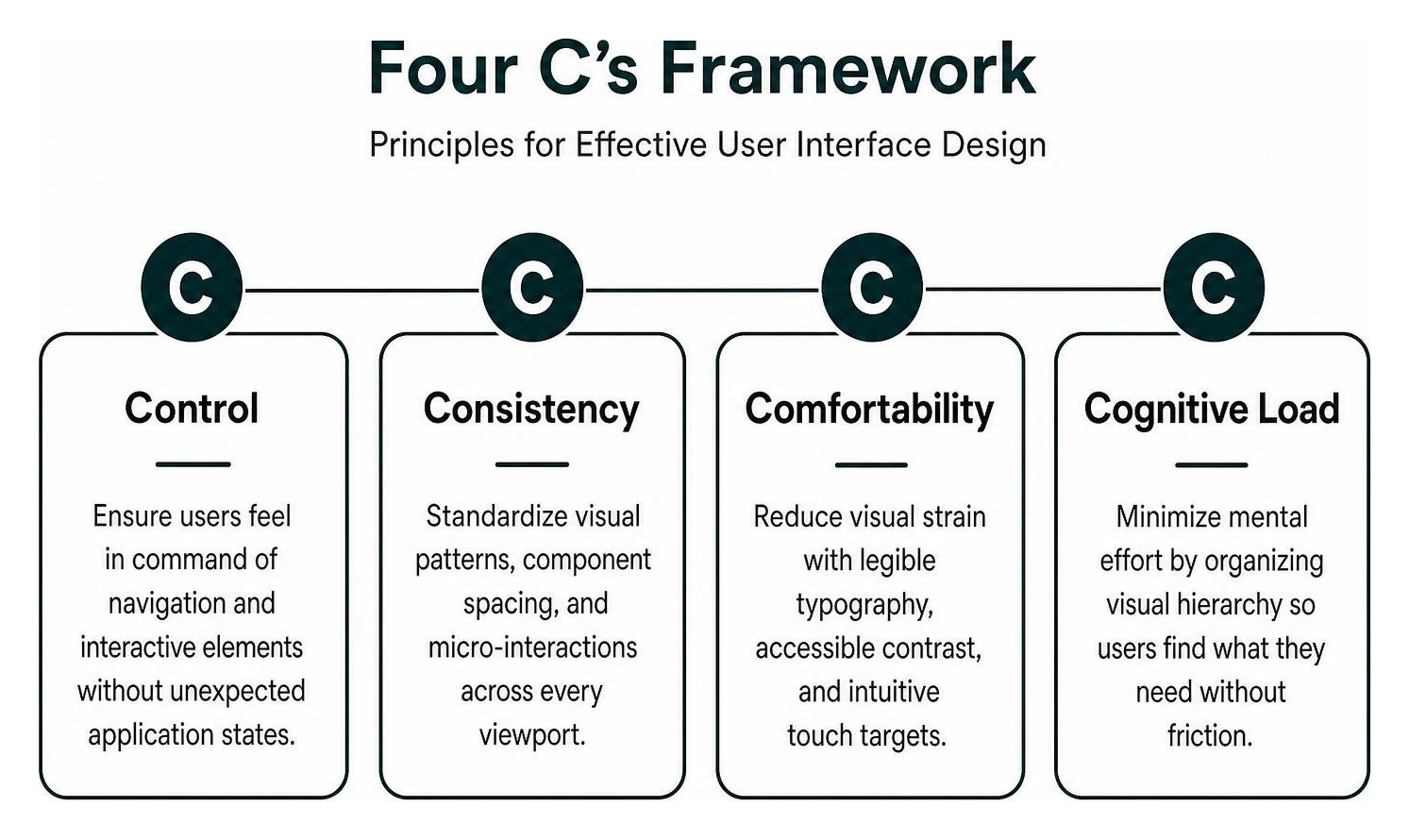
When building interfaces, designers rely on established frameworks like the Four C’s:
- Control: Ensuring users feel in command of navigation and interactive elements without unexpected application states.
- Consistency: Standardizing visual patterns, component spacing, and micro-interactions across every viewport.
- Comfortability: Reducing visual strain with legible typography, accessible contrast, and intuitive touch targets.
- Cognitive load: Minimizing mental effort by organizing visual hierarchy so users find what they need without friction.
These principles trace back through human-computer interaction history, reflecting principles seen in the evolution of Don Norman UX and everyday design. Interface design today spans graphical user interfaces (GUI), touchscreen interfaces, and voice user interfaces (VUI). Reflecting this specialization, the digital product market rewards deep expertise across distinct roles:
- UI Designer: Average salary of $86,000, focusing on visual aesthetics, design tokens, and component kits.
- Interaction Designer: Average salary of $112,000, specializing in micro-animations, screen transitions, and interactive system feedback.
- Information Architect: Average salary of $134,000, structuring complex taxonomy, search flows, and navigational frameworks.
Evaluating the Best Software to Design User Interface Ecosystems in 2026
Modern interface production demands software that balances raw vector precision with multiplayer collaboration and design token distribution. To review high-level options before diving into specific features, consult a quick start guide to comparing UI design tools as well as comprehensive rundowns like the 11 Best Interface Design Software For Better Product Design.
| Platform | Primary Platform Support | Real-Time Multiplayer | Pricing Model | G2 User Rating | Key Strengths |
|---|---|---|---|---|---|
| Figma | Web, macOS, Windows | Yes (Native Cloud) | Freemium / Per-Seat Subscription | 4.7 / 5 | Industry-standard libraries, auto-layout, vast plugin ecosystem |
| Sketch | macOS (Native App), Web Viewer | Yes (Cloud Workspace) | Subscription ($12/editor/mo) or License | 4.5 / 5 | Offline native macOS speed, color management, vector accuracy |
| Adobe XD | macOS, Windows | Yes (Cloud Sync) | Creative Cloud Subscription | 4.3 / 5 | Legacy Adobe CC integration, built-in voice triggers |
| Penpot | Web, Self-Hosted Docker | Yes (Open-Source) | Free / Open-Source / Hosted Tier | 4.6 / 5 | Native SVG and CSS standards, complete data privacy compliance |
| Lunacy | Windows, macOS, Linux | Yes (Cloud Sync) | Free / Freemium Graphics Tier | 4.7 / 5 | Works fully offline, built-in vector graphics, cross-platform native |
| UXPin | Web, macOS, Windows | Yes (Native Cloud) | Tiered Subscription | 4.2 / 5 | Merge technology connecting production React components |
Core Requirements in Modern Software to Design User Interface Projects
Evaluating software requires examining how well tools handle foundational development handoffs and team collaboration:
- Multiplayer Editing and Version Control: Real-time canvas collaboration removes version fragmentation. Look for tools that provide granular version histories, named restore points, and branch-and-merge features.
- Responsive Layout Engines: Modern tools replace manual pixel positioning with CSS-aligned flexbox and grid layouts. You can build pixel-perfect interfaces faster with top UI development tools when layout wrappers mirror production CSS behavior.
- Design System Token Management: A strong tool lets you declare color palettes, corner radiuses, and typography scales as global variables, automatically updating linked production apps.
- Integrated Accessibility Tools: Modern suites should feature built-in WCAG contrast checking, screen reader focus order testing, and color-blindness simulation modes.
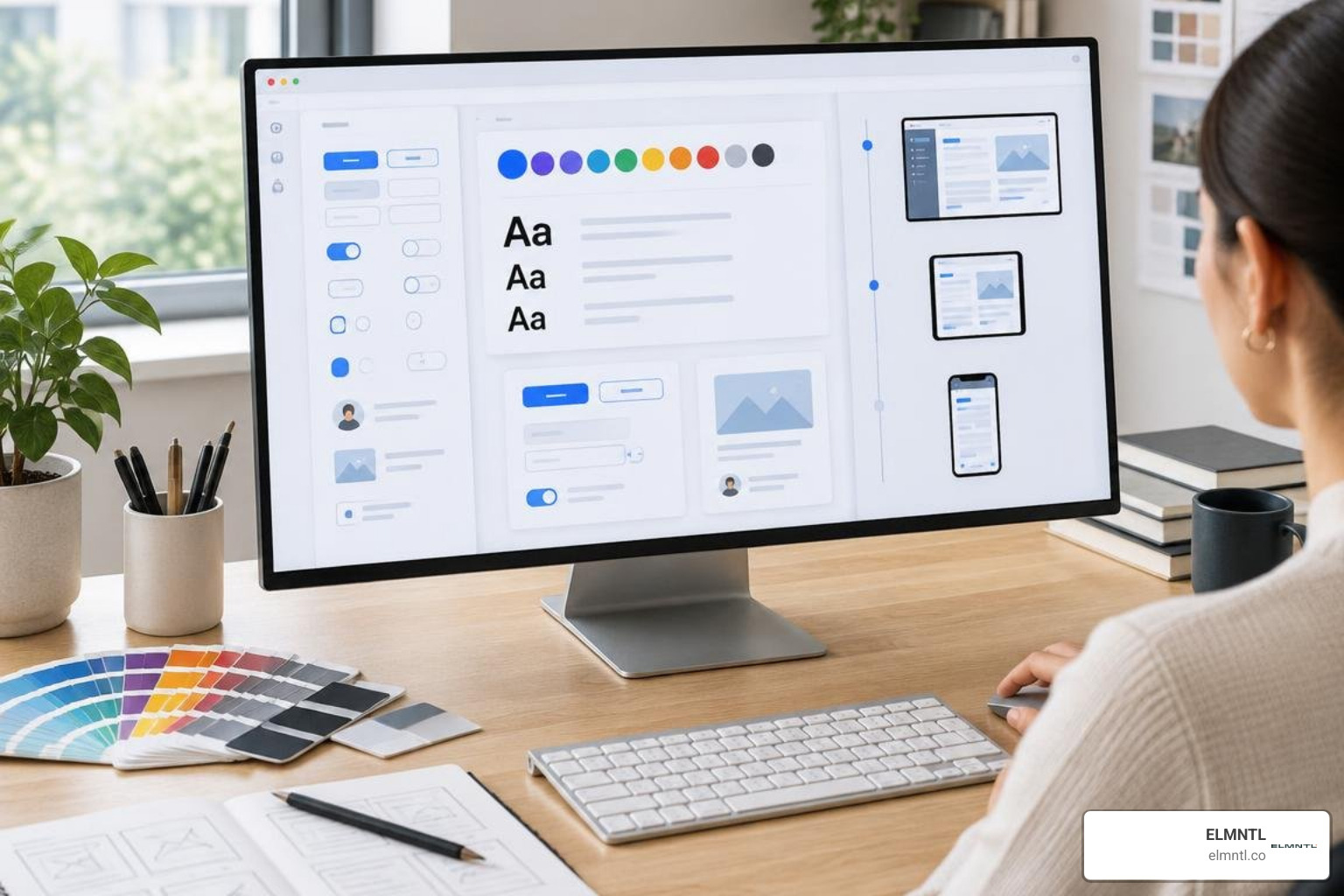
The Industry Standard Suites: Cloud Platforms vs. Native Applications
For cloud collaboration, Free Online UI Design Tool & Software for Teams from Figma remains a market leader, holding a 4.7/5 G2 score. Running directly in the browser across macOS, Windows, and Linux, Figma standardizes shared Team Libraries and interactive component variants. However, per-seat costs can escalate for large teams, and complex files require steady internet bandwidth.
Sketch remains a popular alternative for dedicated macOS teams, with a 4.5/5 G2 rating. By running locally, Sketch avoids browser memory constraints and offers crisp vector rendering. Designers collaborate via Sketch Cloud, though Windows-based stakeholders are limited to browser viewing.
Adobe XD holds a 4.3/5 G2 score. While Adobe has placed XD into maintenance mode, teams deeply tied into Creative Cloud workflows still rely on it. Designers managing existing XD workflows can review from mockup to browser practical workflow for Adobe XD websites to transition legacy XD artboards smoothly into standard web environments.
Open-Source, Free, and Specialized Prototyping Alternatives
As subscription fees rise and data governance rules tighten, open-source and specialized platforms provide viable paths forward.

Penpot has emerged as a premier open-source interface platform. Built from the ground up on open web standards, Penpot renders elements natively using SVG and standard CSS Flexbox and Grid. Because organizations can self-host Penpot using Docker, it offers a secure solution for teams with strict data privacy requirements.
Lunacy offers another cross-platform alternative across Windows, macOS, and Linux. It operates fully offline, stores local files in the standard .sketch format, and packages millions of built-in icons, illustrations, and AI background-removal tools directly into the application canvas without requiring paid plugin subscriptions.
For early-stage wireframing and collaborative team brainstorming, non-designers frequently leverage Canva Whiteboards. While not built for production design systems, teams can use a practical guide to Canva UI design for rapid mockups to sketch initial layouts and gather stakeholder feedback before transferring assets into professional UI software.
Dedicated Prototyping Tools vs. Full UI Design Software
Full UI design tools focus on vector geometry and design system documentation. Dedicated prototyping software focuses on high-fidelity user testing, state logic, and interactive behavior. When planning administrative panels, using how to build an effective admin dashboard wireframe helps establish screen structures before wiring complex interactive states.
To explore specialized options, review the best app UI prototype tools from Figma to Protoio. Key dedicated environments include:
- UXPin: Bridges design and code through Merge technology, letting designers drag live React, Vue, or npm packages directly onto the canvas with functional conditional logic.
- Origami Studio: Built by Meta, Origami uses a visual patch editor to build complex hardware sensor triggers, realistic mobile gestures, and spring physics without code.
- Proto.io: Enables designers to build full mobile micro-interactions, complex state transitions, and responsive multi-touch events using drag-and-drop properties.
- Balsamiq: Focuses strictly on low-fidelity wireframing, using a sketch-like visual style to keep teams focused on structural layout rather than typography or visual styling.
The Emergence of AI-Powered Interface Generators
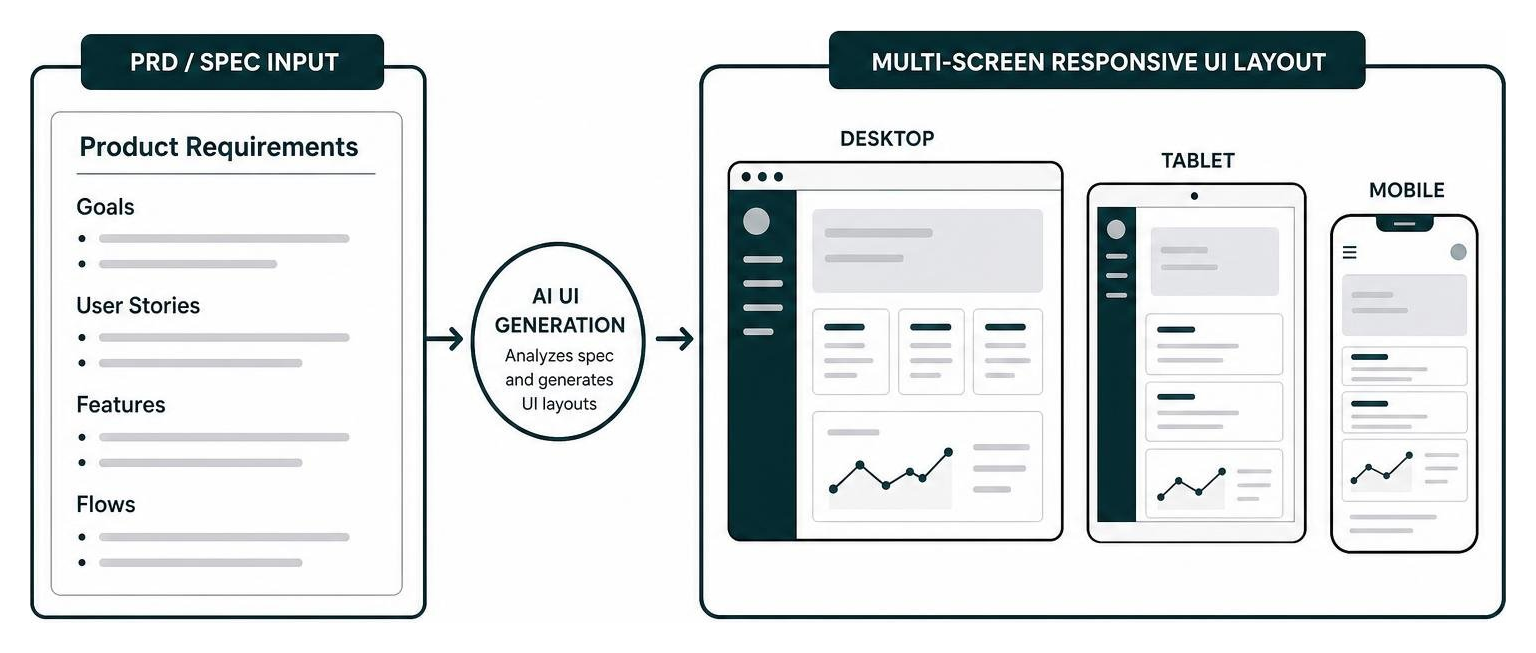
Generative AI is transforming user interface software by automating repetitive layout drafting, bridging the gap between product requirements and final visual mockups. In traditional handoffs, requirements written in product requirement documents (PRDs) often drift during visual translation. Modern AI engines analyze specifications directly to construct initial multi-screen flows.
Platforms like the AI UX Design Generator: Flows and Screens From Your Spec allow product teams to paste functional specifications and receive coordinated screen flows with consistent UI elements. Similarly, Figma has incorporated generative workflows through its Free AI UI Generator – Prompt to UI in Seconds, which generates customizable components and editable layouts directly inside standard canvas frames.
Next-Gen AI Capabilities in Software to Design User Interface Workflows
AI capabilities across interface design platforms generally fall into three areas:
- Prompt-to-Screen Generation: Tools like AI App Builder – Design App Interfaces Instantly, which has powered over 2 million designs and screens, convert natural language prompts into interconnected mobile and desktop wireframes.
- Component Styling and Code Automation: Systems such as AI UI Generator | Komposo AI, trusted by more than 100,000 users, let builders describe visual modifications via chat and immediately export clean, production-ready HTML and Tailwind CSS.
- One-Click Design-to-Code Handoff: Platforms like GyroDesign — AI UI Design Tool with Design-to-Code Handoff connect prompt-driven layout canvasing directly into engineering environments, converting canvas layouts into front-end build prompts with a single click.
Frequently Asked Questions About Interface Design Tools
Do you need coding skills to use modern UI design tools?
No. Modern UI software uses visual drag-and-drop canvases, visual style inspectors, and point-and-click property controls. While designers do not need to write code, understanding basic CSS concepts such as padding, margins, flexbox alignment, and responsive breakpoints helps create layouts that developers can build cleanly.
What is the difference between a dedicated prototyping tool and a full UI design tool?
Full UI design platforms (such as Figma, Sketch, and Penpot) focus on vector drawing, design token management, and comprehensive team libraries. Dedicated prototyping tools (such as Origami Studio, Proto.io, and UXPin) focus on advanced behavioral simulation, such as device sensor access, conditional variables, text input capture, and realistic physics calculations.
How do you choose the right UI design tool for your team?
Evaluate your decision based on four practical factors:
- Operating System Diversity: If your team includes Windows, Linux, and macOS users, browser-based tools like Figma or Penpot are essential.
- Budget and Seat Licensing: Review whether per-seat pricing models fit your budget or if an open-source, self-hosted platform like Penpot makes better financial sense.
- Data Privacy Requirements: Highly regulated industries often require self-hosted instances to prevent designs and proprietary data from entering third-party AI training pipelines.
- Design System Maturity: Ensure the software provides component variants, nested properties, and clear developer inspection tools.
Reviewing demystifying the UX design process for modern teams provides additional insight into structuring these software choices within an agile development sprint.
Conclusion
Selecting the right software to design user interface systems requires balancing visual speed, design token management, and developer handoff efficiency. Cloud platforms provide real-time team collaboration, native tools deliver offline performance, and modern AI engines accelerate early concept exploration.
At ELMNTL, we help brands combine visual design with functional development across complex digital products. To explore deeper evaluations of the design platforms shaping digital experiences, read the designers toolbox best UI and UX software reviewed and build an interface workflow tailored to your product goals.