

Is Dynamics 365 Contact Center Right for Your Support Team?
Dynamics 365 Contact Center is worth a close look if your team needs voice and digital support, AI tools, and smarter routing in one cloud platform. It can work with an existing CRM, so adopting it does not necessarily mean replacing your customer database. Microsoft lists it at $110 per user per month, paid yearly. Before choosing it, check the full cost of licensing, telephony, and connecting it to your current systems.
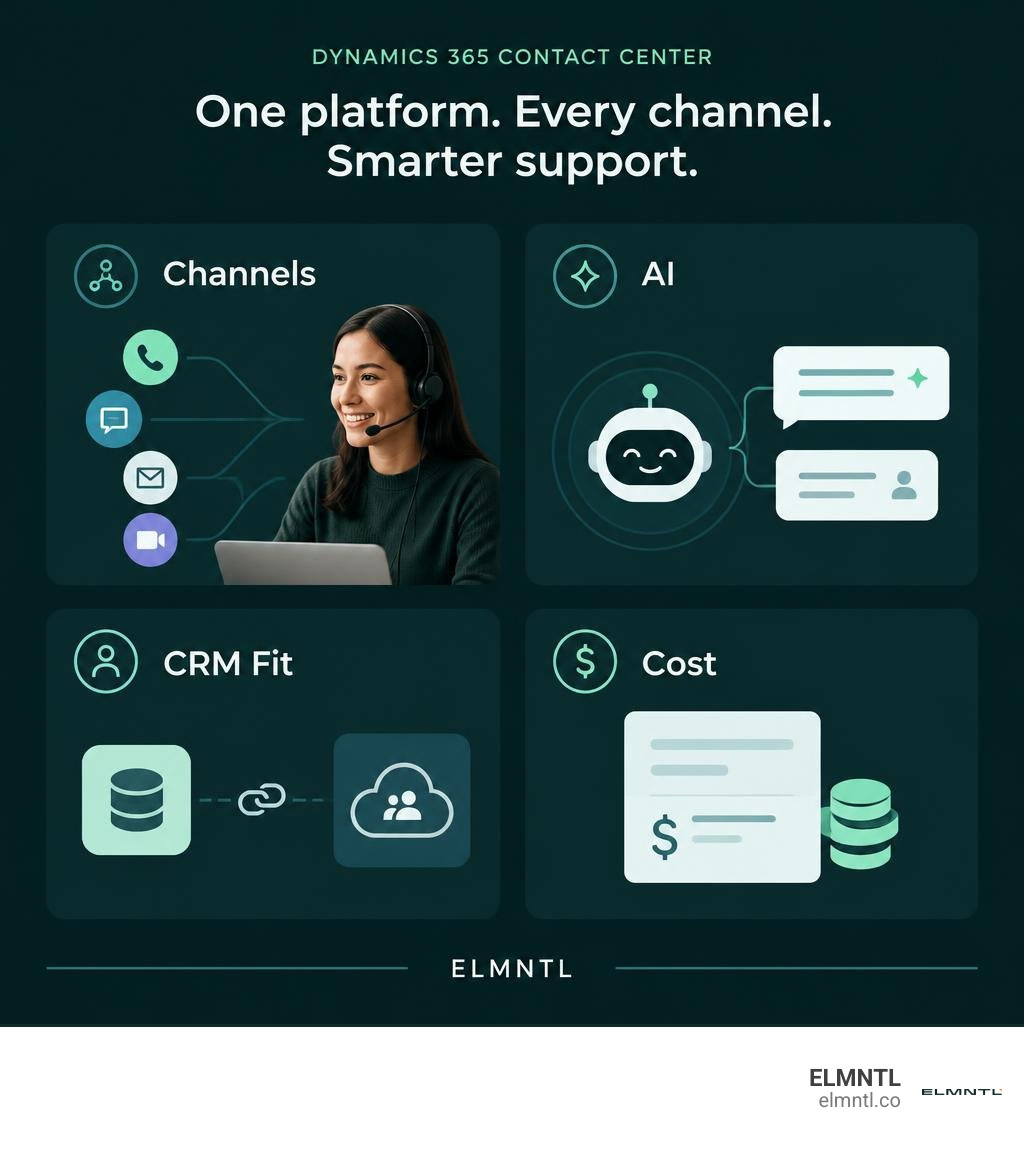
Dynamics 365 contact center vocab explained:
Core Capabilities of Dynamics 365 Contact Center
Customer expectations are higher than ever, and support teams often feel the pressure. Reps juggle disparate communication tools, manual copy-pasting between browser tabs, and complex customer histories. This administrative drag fuels agent burnout and leads to sluggish resolution times.
Microsoft built Dynamics 365 Contact Center from the ground up on modern cloud infrastructure to solve these exact friction points. It functions as an intelligent Contact Center as a Service (CCaaS) solution designed for deep enterprise scalability, high availability, and rigorous security.
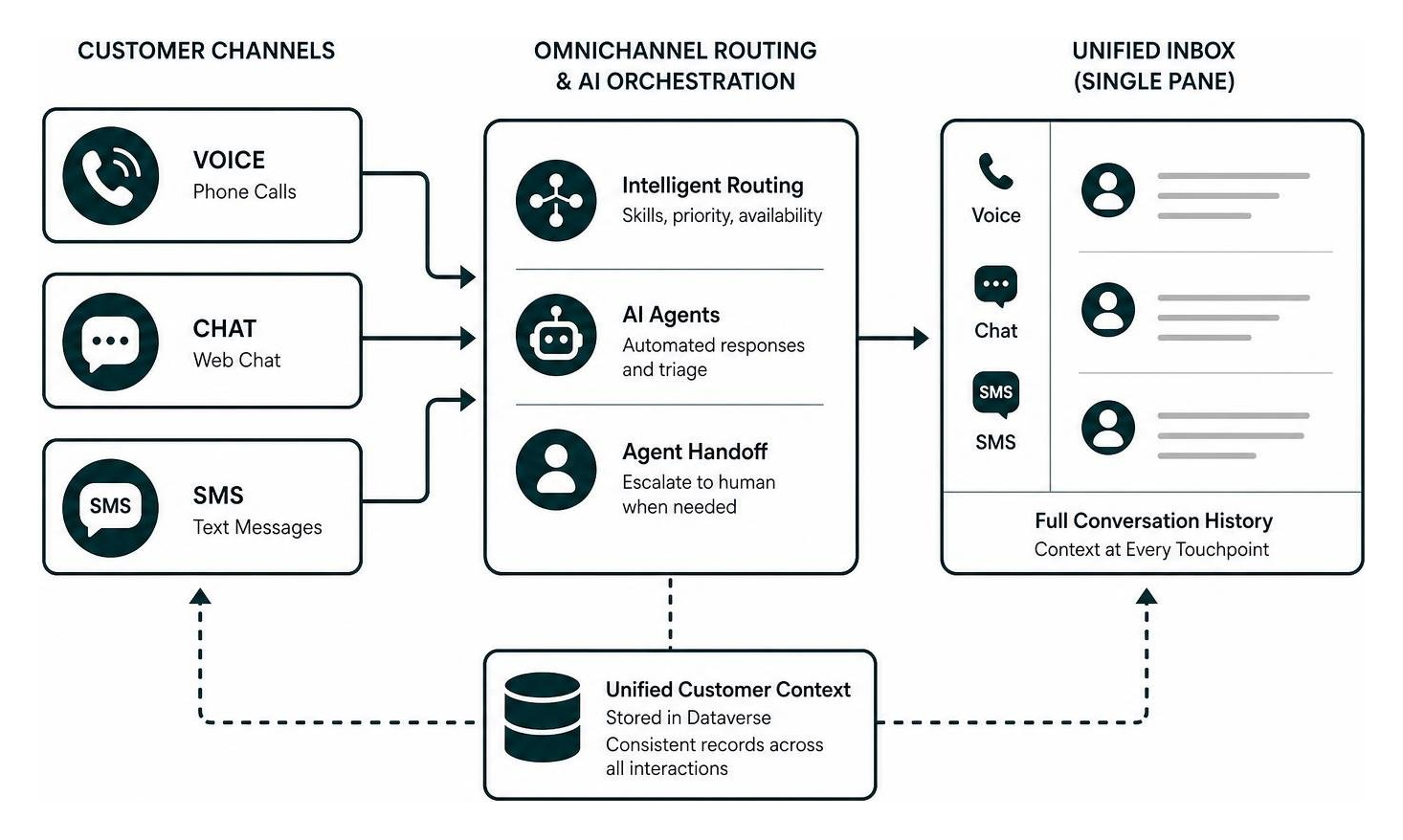
The platform unifies communication channels, AI orchestration, and customer context into a single pane of glass. Rather than forcing agents to jump between a softphone app, a separate web chat console, and a CRM record, the entire interaction lifecycle lives within one streamlined workspace.
Data flows directly into Microsoft Dataverse, allowing organizations to maintain consistent records across every customer touchpoint. Whether an interaction begins via a web chat, transitions into a voice call, or concludes with an automated SMS follow-up, the platform preserves the full context.
Dynamics 365 Contact Center vs Dynamics 365 Customer Service
A common point of confusion is how Dynamics 365 Contact Center differs from Dynamics 365 Customer Service. While they work together seamlessly, they fulfill distinct roles in an enterprise technology stack.
Dynamics 365 Customer Service focuses on traditional case management, ticketing, service level agreements (SLAs), and knowledge article authoring. In contrast, Dynamics 365 Contact Center is a standalone CCaaS offering that delivers omnichannel routing, native voice infrastructure, AI agent capabilities, and real-time interaction management.
The standout architectural difference is CRM independence. Dynamics 365 Contact Center does not require you to adopt Microsoft’s core CRM for case management. It can sit on top of third-party CRM systems, routing conversations and presenting customer data without forcing an expensive CRM migration.
| Feature / Capability | Dynamics 365 Contact Center | Dynamics 365 Customer Service Premium |
|---|---|---|
| Primary Focus | Omnichannel CCaaS & AI routing | Core CRM & case management |
| CRM Requirement | Works with any major CRM | Built natively on Dynamics 365 CRM |
| Voice & Telephony | Native voice via Teams Phone architecture | Available with add-ons or premium tiers |
| AI Agentic Workflows | Built-in autonomous and assistive AI | Copilot for case handling and summarization |
| Channel Coverage | Voice, SMS, Chat, Teams, Social | Case records, email, knowledge bases |
| List Price (Annual) | $110 per user/month | $195 per user/month |
Omnichannel Engagement and Telephony Architecture
Modern customers want to connect on their own terms. Dynamics 365 Contact Center provides native engagement across voice, web chat, SMS, and popular social messaging applications such as Facebook Messenger and LINE.
For voice infrastructure, the solution harnesses Microsoft Teams Phone. This design eliminates the need for expensive, third-party proprietary telephony hardware. Voice streams benefit from enterprise-grade call routing, high audio fidelity, and native call control directly inside the workspace.
When building complex self-service workflows or pulling external data into chat widgets, our developers rely on seamless API integration in web development to keep digital endpoints connected in real time. Because the architecture uses open APIs and modular connectors, integrating custom messaging channels or external backend services is straightforward.
Autonomous AI and Agentic Capabilities Transforming Support
The customer service landscape has evolved from simple keyword bots to generative, action-oriented AI. Dynamics 365 Contact Center introduces an “agentic” approach where specialized AI agents handle routine tasks autonomously, escalate edge cases, and guide human representatives.
These AI capabilities move beyond simple question answering. They understand customer intent, fetch dynamic data from connected business systems, execute transactions, and summarize interactions for CRM logging.
Pre-Built AI Agents and Copilot Studio Extensibility
The platform includes a roster of role-specific AI agents that automate critical contact center functions:
- Customer Assist Agent: Works alongside human reps during active conversations, generating real-time suggestions, retrieving relevant knowledge base articles, and drafting accurate responses.
- Quality Assurance Agent: Automates compliance and quality scoring across 100% of interactions, eliminating the need for supervisors to manually spot-check small call samples.
- Service Operations Agent: Monitors operational metrics, identifies systemic spikes in queue times or channel backlogs, and alerts supervisors to allocate resources.
- Customer Intent Agent: Analyzes spoken or typed input during initial intake to pinpoint the exact reason for contact and direct the customer to the right workflow.
- Customer Knowledge Management Agent: Identifies gaps in internal documentation by analyzing unanswered questions, automatically proposing new knowledge articles based on resolved cases.
For unique business processes, teams can use Microsoft Copilot Studio to build custom AI agents. These custom agents tap into proprietary databases and internal APIs, enabling tailored self-service experiences that safely automate complex customer workflows.
Real-Time Intelligence and Supervisor Oversight
Supervisors need continuous visibility into operations to step in before customer relationships sour. Dynamics 365 Contact Center provides supervisors with real-time analytics dashboards that visualize queue health, active conversation sentiment, and agent availability.
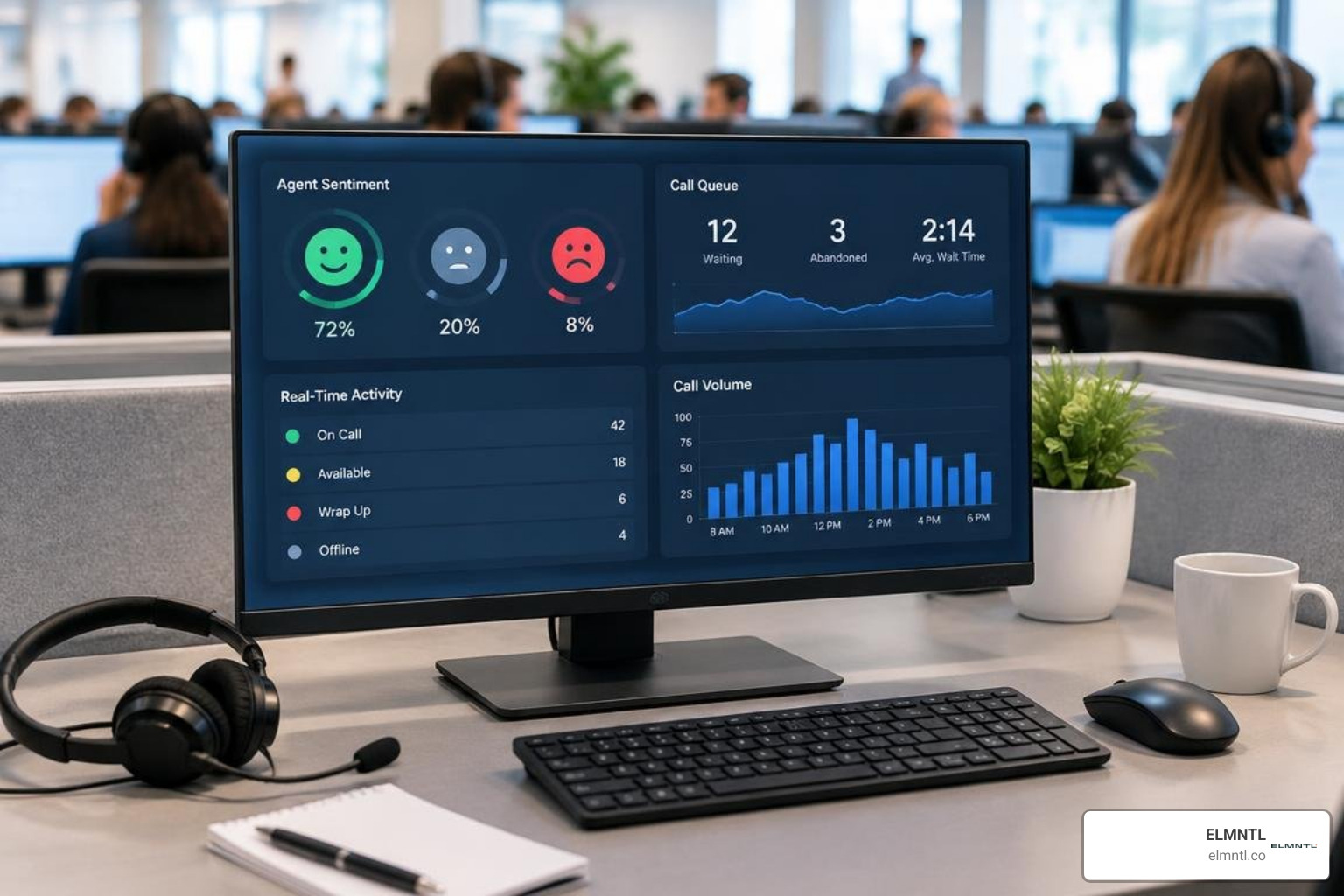
Live call transcription and real-time sentiment analysis track customer emotions as the dialogue progresses. If a call takes a negative turn, the system alerts the supervisor, who can review the live transcript, whisper advice to the representative, or barge in to resolve the issue directly.
Unified routing ensures incoming requests across all channels are assigned to the most qualified agent based on real-time availability, language proficiency, and specialized skills. For more technical documentation, the Dynamics 365 Contact Center overview on Microsoft Learn offers detailed operational breakdowns.
Enterprise Integration, Telephony, and Deployment Prerequisites
Deploying modern CCaaS infrastructure requires attention to network readiness, browser environments, and identity management. Because Dynamics 365 Contact Center runs within the Microsoft Cloud ecosystem, setup aligns with enterprise Azure Active Directory (Azure AD) standards.
Key deployment prerequisites include:
- An active Microsoft Azure tenant with appropriate administrative roles.
- Microsoft Teams licensing and Teams Phone configuration if utilizing native voice.
- Network bandwidth optimization to prioritize real-time voice and video traffic (QoS configuration).
- Modern web browsers configured to permit necessary third-party session cookies for authentication.
Deploying Dynamics 365 Contact Center with Existing CRM Architectures
You do not have to discard your existing tech stack to adopt modern AI routing. Dynamics 365 Contact Center integrates directly with heterogeneous IT environments, including platforms like Salesforce, SAP, and custom internal systems.
By embedding the contact center workspace directly into third-party interfaces or leveraging unified Dataverse synchronization, agents receive complete customer context without switching screens.
When deploying customer-facing self-service portals and agent consoles, teams should focus on optimizing website performance for enterprise apps to minimize latency during high-volume customer surges. Fast-loading web components ensure customer interactions remain snappy, whether customers reach out through mobile chat widgets or desktop web portals.
Measurable ROI and Real-World Operational Results
Enterprises that deploy AI-first contact center tools see immediate operational improvements across core support metrics.

- Riverty: Delivered a modern, AI-ready contact center at scale in just 68 days using Dynamics 365 Contact Center.
- Lenovo: Reduced average handling time by 20% by deploying Copilot assistance across customer service interactions.
By automating repetitive tier-one inquiries through intelligent self-service, organizations improve first-contact resolution rates while allowing human agents to focus on complex, high-touch support scenarios. For official product details and feature availability, review the Contact Center Platform details from Microsoft.
Pricing Tiers and Licensing Economics
Understanding the total cost of ownership is essential when evaluating any CCaaS platform. Microsoft offers transparent per-user pricing alongside promotional windows that help lower initial implementation costs.
- Dynamics 365 Contact Center: $110.00 per user/month (billed annually). This includes omnichannel routing, Teams Phone voice integration, native AI agents, and supervisor oversight tools.
- Dynamics 365 Customer Service Premium: $195.00 per user/month (billed annually). This package combines the complete contact center feature set with Microsoft’s full case management and CRM capabilities.
- Promotional Savings: A 40 percent discount off the list price is available for eligible Dynamics 365 Contact Center subscriptions from October 1, 2025, through June 30, 2026.
When planning your budget, factor in standard telecommunication calling plans, outbound carrier fees, and any custom Copilot Studio capacity consumption required for advanced autonomous bots.
Frequently Asked Questions About Dynamics 365 Contact Center
How does the platform integrate with non-Microsoft CRMs?
The platform connects with third-party CRMs through standard REST APIs, pre-built ecosystem connectors, and Microsoft Dataverse. Support agents can view customer interaction history, account information, and case details within a single embedded workspace inside their existing CRM environment.
What customer communication channels are natively supported?
Dynamics 365 Contact Center supports traditional voice calls via Microsoft Teams Phone, SMS messaging, web chat widgets, Microsoft Teams direct messaging, and major social platforms like Facebook Messenger and LINE. Custom channels can also be connected via the Direct Line API.
What are the core technical prerequisites for deployment?
Deployment requires a configured Microsoft 365 and Azure tenant, modern browser environments that allow required authentication tokens, adequate network bandwidth configured for real-time voice media, and appropriate administrative permissions to manage unified routing and telephony profiles.
Conclusion
Dynamics 365 Contact Center represents a clear shift toward agentic, AI-augmented customer operations. By bringing together omnichannel telephony, intelligent routing, and generative AI agents into a single modular solution, it empowers organizations to improve customer satisfaction while reducing agent strain.
Transforming customer touchpoints requires a clear digital strategy, thoughtful technical integrations, and seamless user experiences across every digital channel. If your organization is evaluating cloud communication tools, modernizing digital interfaces, or looking to improve customer engagement journeys, explore how our team supports growth through ELMNTL digital strategy and services.